Vehicle board for auto repair shops: every open car in one view
Updated . In the Core plan and above.
Every open car, and where it is, on one board. No walking out to the bay to ask.
What it does
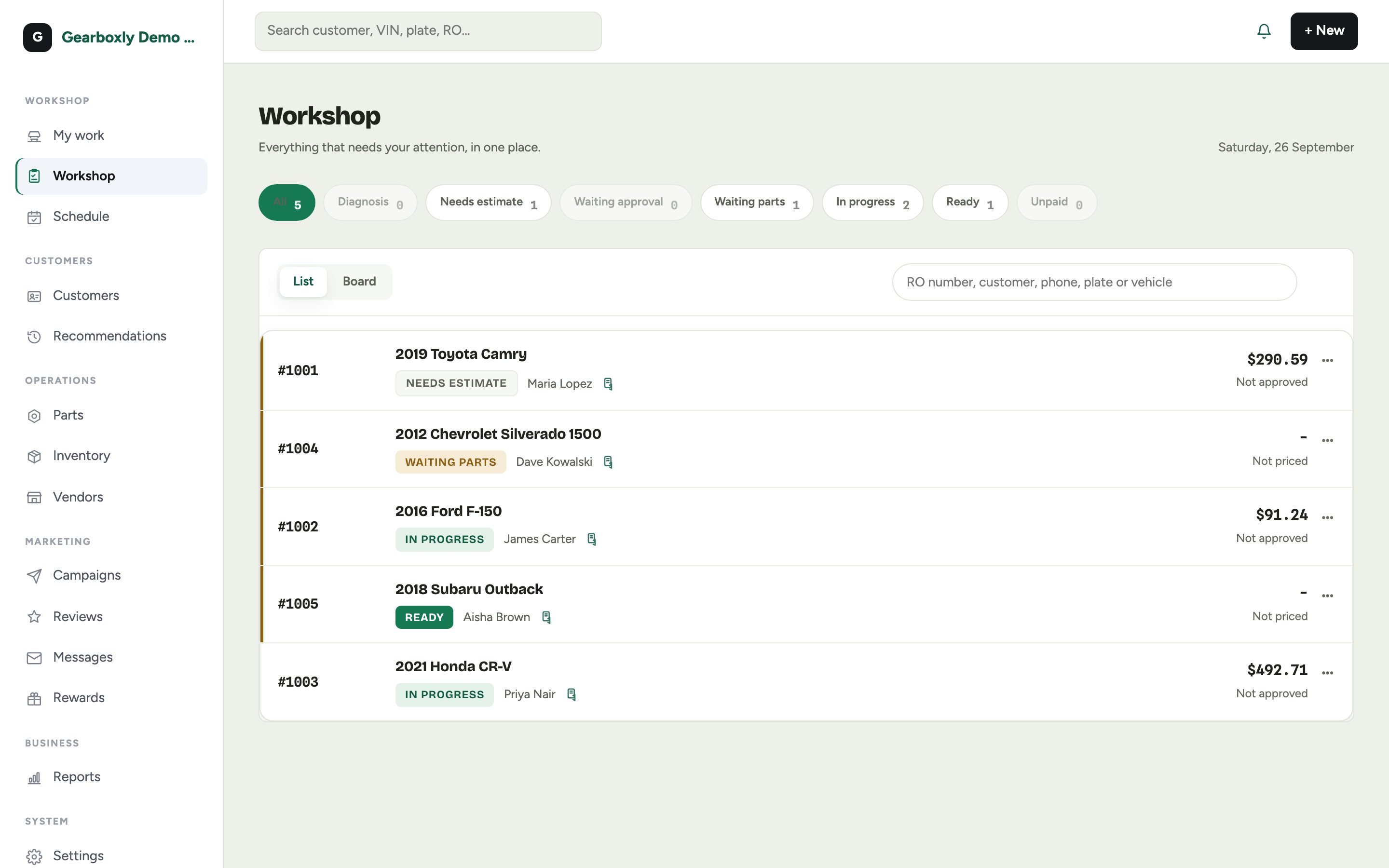
The Workshop board is home for owners and advisors. Every open repair order is on it, grouped by where it is: needs estimate, waiting approval, waiting parts, in progress, ready and unpaid. Tap a filter to narrow the list, or switch to Board for columns.
Every row and card shows the car. A car checked in from the phone is on the board for everyone before you are back inside, and advisors see a technician's running clock live on the board and the repair order.
Quotes you start with New estimate, without a check-in, stay off the workshop board, the Shop TV, the calendar and the tech queue. They live in an Estimates tab with Draft, Sent, Approved and Declined filters.
How it works
- 1
Check the car in or start a repair order
The repair order is on the board for everyone.
- 2
Work it through
The repair order moves through inspection, estimate, approval, repair and invoice.
- 3
Filter or switch to Board
Tap a filter to narrow the list, or switch to Board for columns.
Questions shops ask
What do the groups on the board mean?
Each open repair order sits in one group: needs estimate, waiting approval, waiting parts, in progress, ready or unpaid.
Can I put it on a TV in the shop?
Yes. The Shop TV is a live bay board for the shop, and it can also run a customer-facing lobby screen.
Where do technicians start?
Technicians land on My work, with their own cars and a running clock. Owners and advisors land on the Workshop board.
Is there a free trial?
Yes. Every shop starts with 14 days of the AI plan, free, with no credit card. Plans start at $99 a month per location (Core), with unlimited users and no contract.
Related features
More in the plans
Try vehicle board in your own shop
14-day free trial of the AI plan. No credit card. No contract, cancel anytime.
Start free