
Repair order software for independent shops
Updated
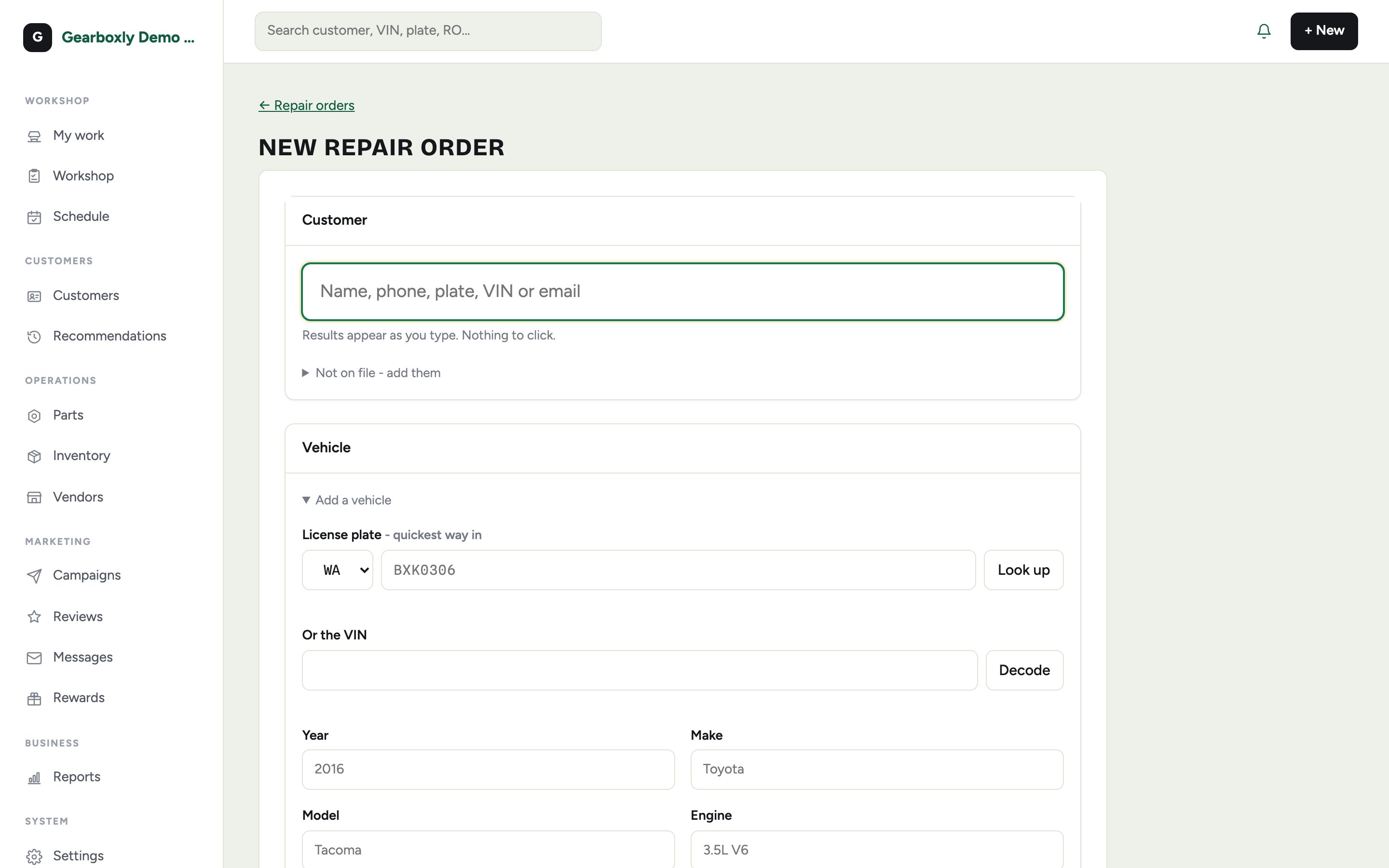
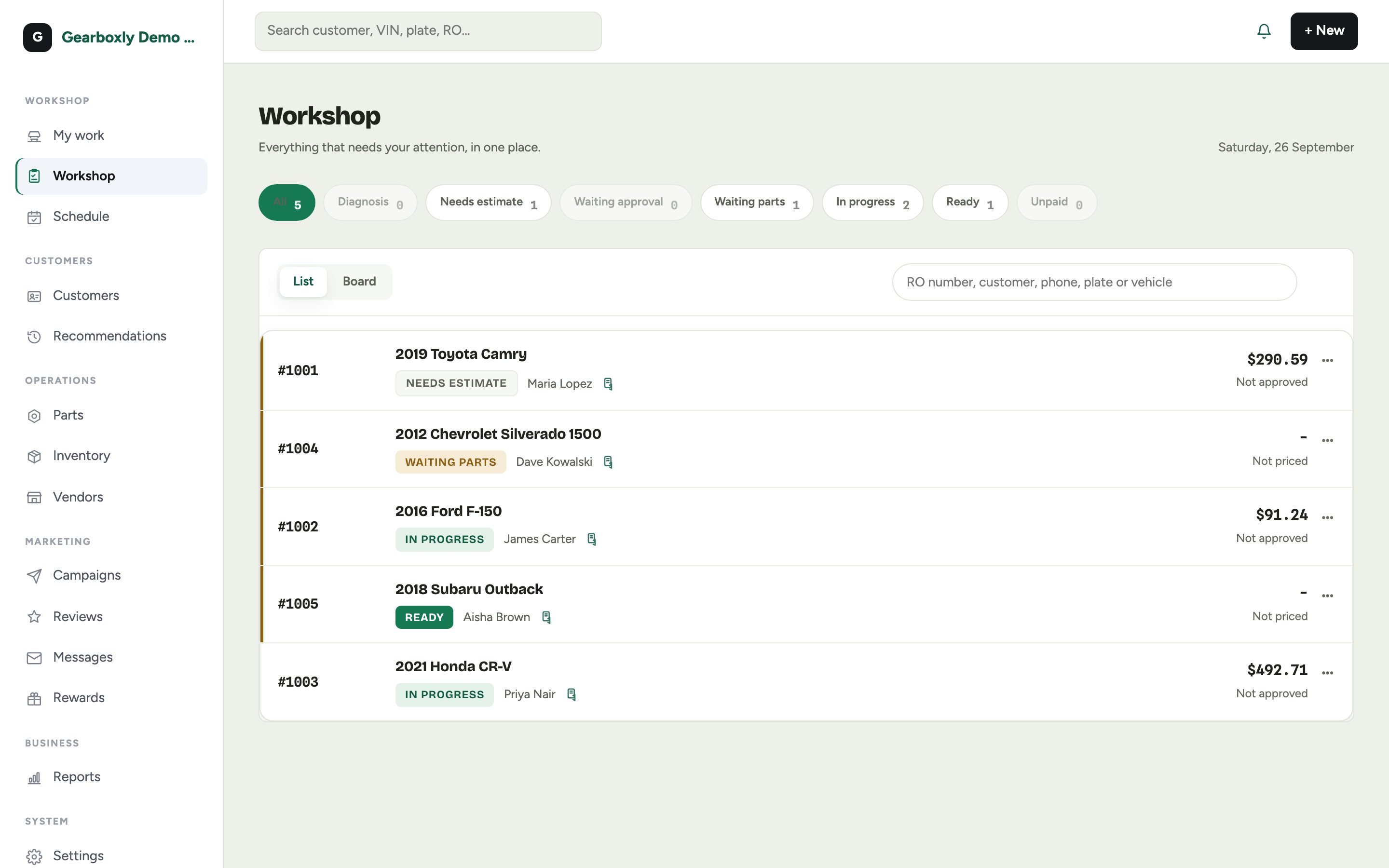
A repair order holds the whole visit: customer, vehicle, concern, inspection, estimate, jobs, parts, payments and invoice. Open one in seconds, check the car in from the lot with your phone, and see every open order with its status on the Workshop board.
What it does
- New RO from customer search by name or phone
- A VIN fills in year, make, model and engine
- Check-in records fuel, keys, warning lights, belongings and damage
- Assign a technician and the car appears in their My work list
- Workshop board with status filters like needs estimate, waiting parts and ready
- Full vehicle history and old invoices on the customer's profile
How it works
- 1
Create it
Tap + New, search for the customer or add one, then pick or add their vehicle.
- 2
Record the concern
Type the customer's concern in their own words, then create the order.
- 3
Check the car in
Record fuel level, keys, dash lights, belongings and damage on the walk-around. It protects the shop later.
- 4
Assign and track
Pick the technician. The RO moves through inspection, estimate, approval, repair and invoice on the board.
Questions shops ask
Can we check cars in from the parking lot?
Yes. Service writers can check cars in from their phone by scanning the VIN or plate.
Can we bring over our old customers and vehicles?
Yes. Import customers and vehicles from a CSV export of your current system, and we're happy to help with the move.
How many users can use it?
Every plan includes unlimited users, so every writer and technician gets their own sign-in.
More features
Try it on your own repair orders
14-day free trial of the AI plan. No credit card. No contract, cancel anytime.
Start free