
Service writing
How to cut your estimate time in half
Most of the time on an estimate isn't the repair. It's looking things up, retyping and chasing approval. Here is where the minutes go and how to get them back.
September 30, 2026 · 6 min read
Ask a service writer where the day goes and the answer is rarely “writing estimates.” It's everything around them: finding the labor time, pricing the parts, turning a tech's notes into something a customer will read, then calling to get a yes. Each step is small. Together they eat the morning, and the car sits on the lift while it happens.
The good news is that almost none of that time is skilled work. Knowing what a car needs is skilled. Copying hours from one screen to another is not. If you pull the busywork out of the process, the estimate gets faster without getting worse, and your writer has more time for the part that actually needs a person: talking to the customer.
First, find out where your minutes go
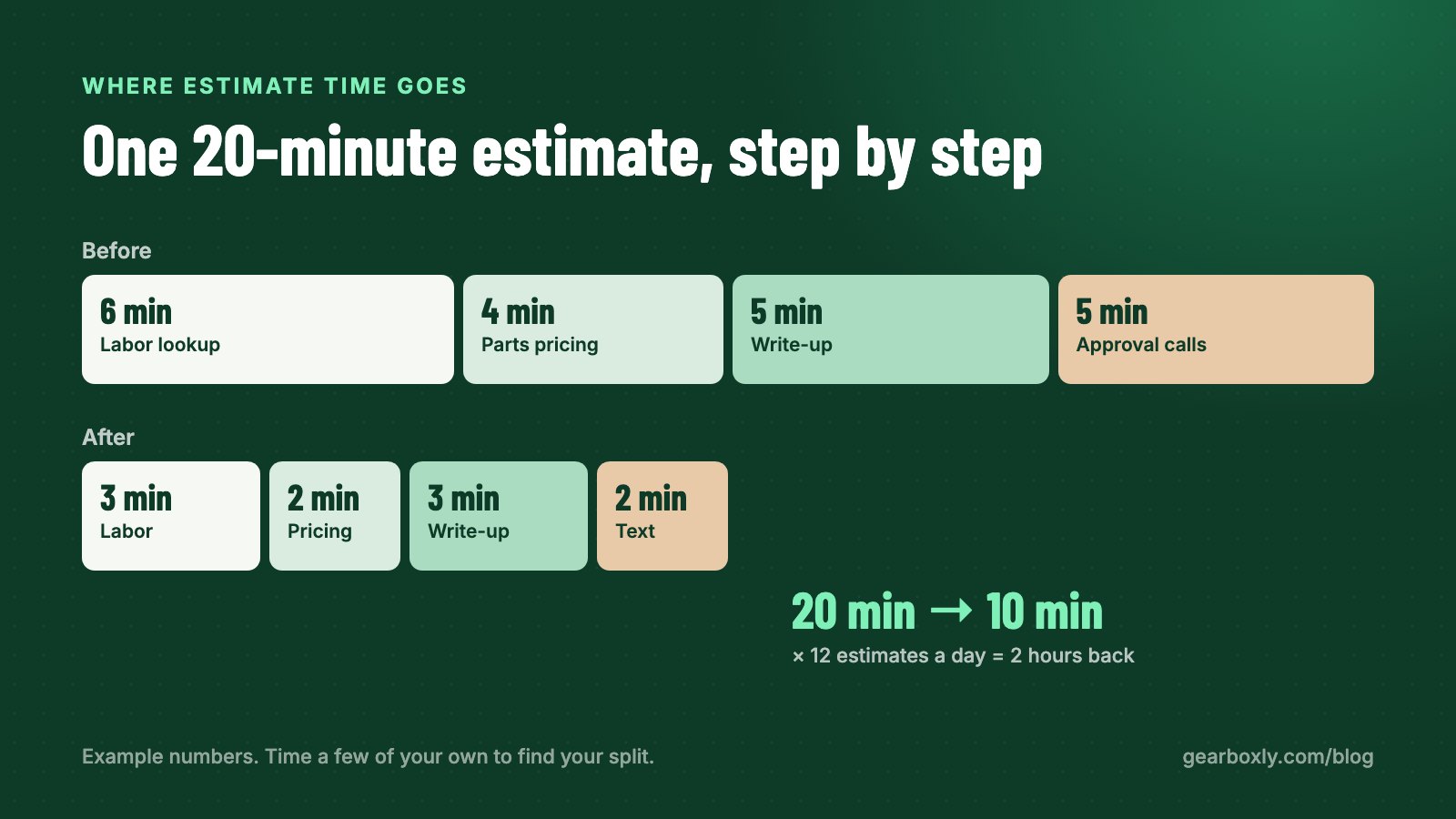
Before changing anything, time a few estimates from start to finish. You don't need a stopwatch study. Just note when the tech hands over findings and when the customer says yes. Then break it down roughly into four buckets: labor lookup, parts pricing, writing up the findings, and getting approval.
Here's a simple example. Say your shop writes 12 estimates a day and each one takes 20 minutes of writer time from findings to approval. That's four hours a day, most of a shift. If you can get each one down to 10 minutes, you've handed your writer back two hours every day. The exact numbers in your shop will be different. The point is that small savings per estimate add up fast because you do so many of them.
- Labor lookup: switching to a guide, finding the right engine, copying hours back
- Parts pricing: checking cost, deciding on markup, typing the sell price
- Writing up findings: turning tech notes into lines a customer understands
- Approval: calling, leaving voicemails, calling again, explaining it all

1. Stop looking up labor times by hand
Flipping between the repair order and a labor guide, finding the right engine and drivetrain, and copying hours back across is a few minutes per job, every job. On a three-job estimate, that alone can be the biggest chunk of the writer's time.
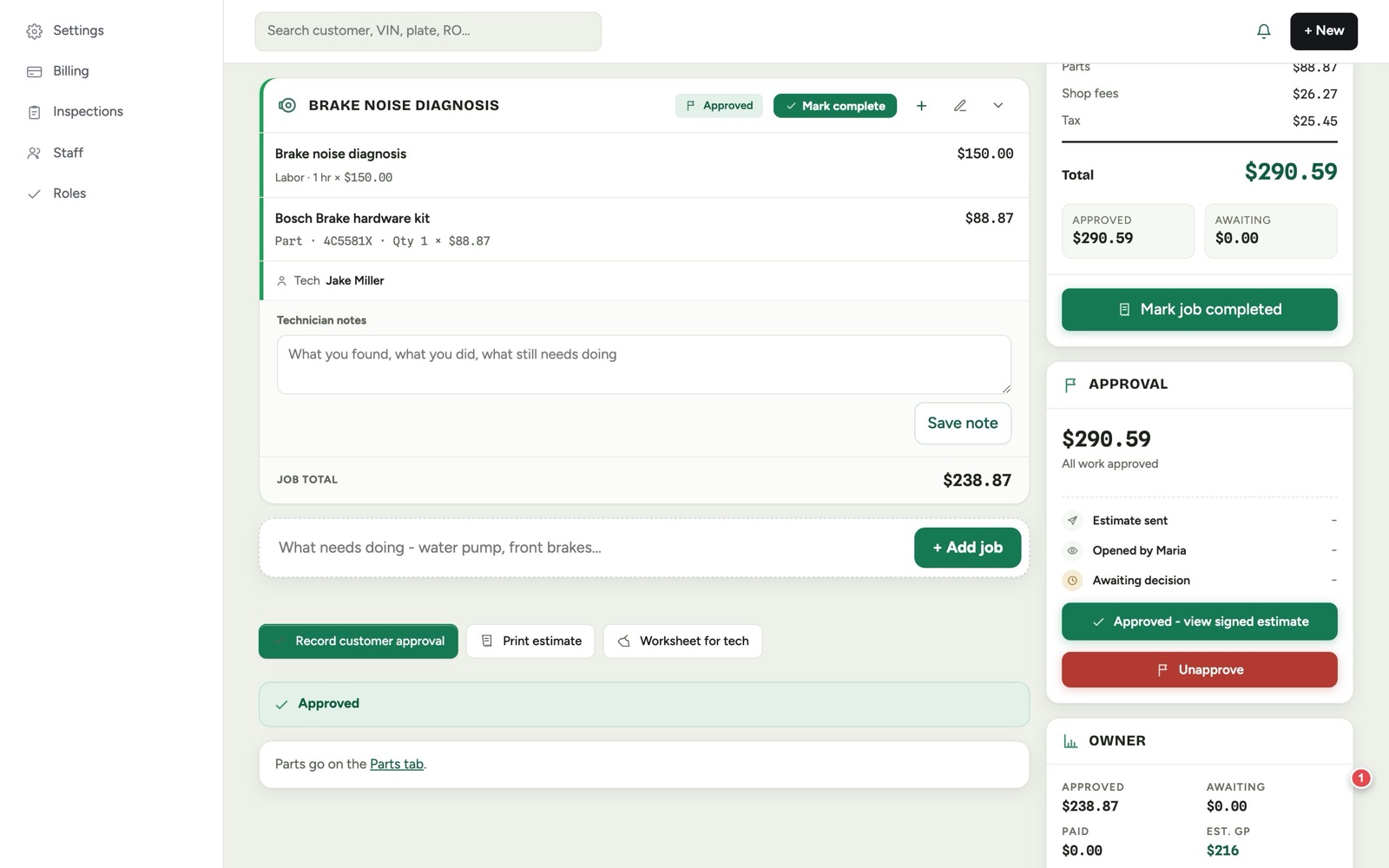
In Gearboxly you type the job, like “water pump” or “front pads and rotors,” and the published hours for that exact vehicle show up under the box as you type. Pick one and the job lands on the estimate with the time filled in. No second window, no retyping, no guessing whether you grabbed the V6 or the four-cylinder.
Tip: Whatever software you use, check that labor times are tied to the vehicle on the repair order. If the writer has to re-select the year, make and engine every time, you're still doing the lookup by hand.
2. Price parts once, with rules
If every part price is a judgment call, every estimate is slow, and two writers will price the same part differently. Decide your markup once and let the system apply it.
A parts pricing matrix does exactly that. You set tiers based on cost: a bigger markup on low-cost parts, a smaller one on expensive parts. For example, you might mark up a $12 filter by a higher percentage than a $400 compressor, because a flat percentage makes cheap parts unprofitable and expensive parts look overpriced. Once the matrix is set, every part you add is priced the same way, whoever is at the counter.
- Pull a month of invoices and look at what you actually charged for parts
- Group parts into a few cost bands (for example under $25, $25–$100, $100–$300, over $300)
- Pick a markup for each band that you're comfortable defending to a customer
- Enter it once and stop pricing parts by feel
3. Let the inspection write the estimate
The tech already found the problems. Retyping them is waste. When inspection items are flagged, they should become estimate jobs in one step, with the photos attached and the labor already pulled.
Gearboxly does this: flagged items on an inspection turn into estimate jobs, photos come along, and the tech's shorthand gets rewritten for the customer. “LF CV boot torn, grease slung” becomes a plain sentence explaining that the boot protecting the front axle joint is torn and why it matters. Your writer reads it, adjusts if needed, and moves on.
If you want a head start before the inspection is even done, Gearboxly can also draft an estimate from the customer's concern. Type “grinding noise from front when braking” and you get a starting draft with likely jobs to review. It's a draft, not a diagnosis. The tech still confirms what the car needs.
4. Send it, don't call it
A phone call to explain an estimate takes five minutes when the customer answers and much longer when they don't. Voicemail tag can stretch a simple approval into an afternoon, and the car ties up a bay the whole time.
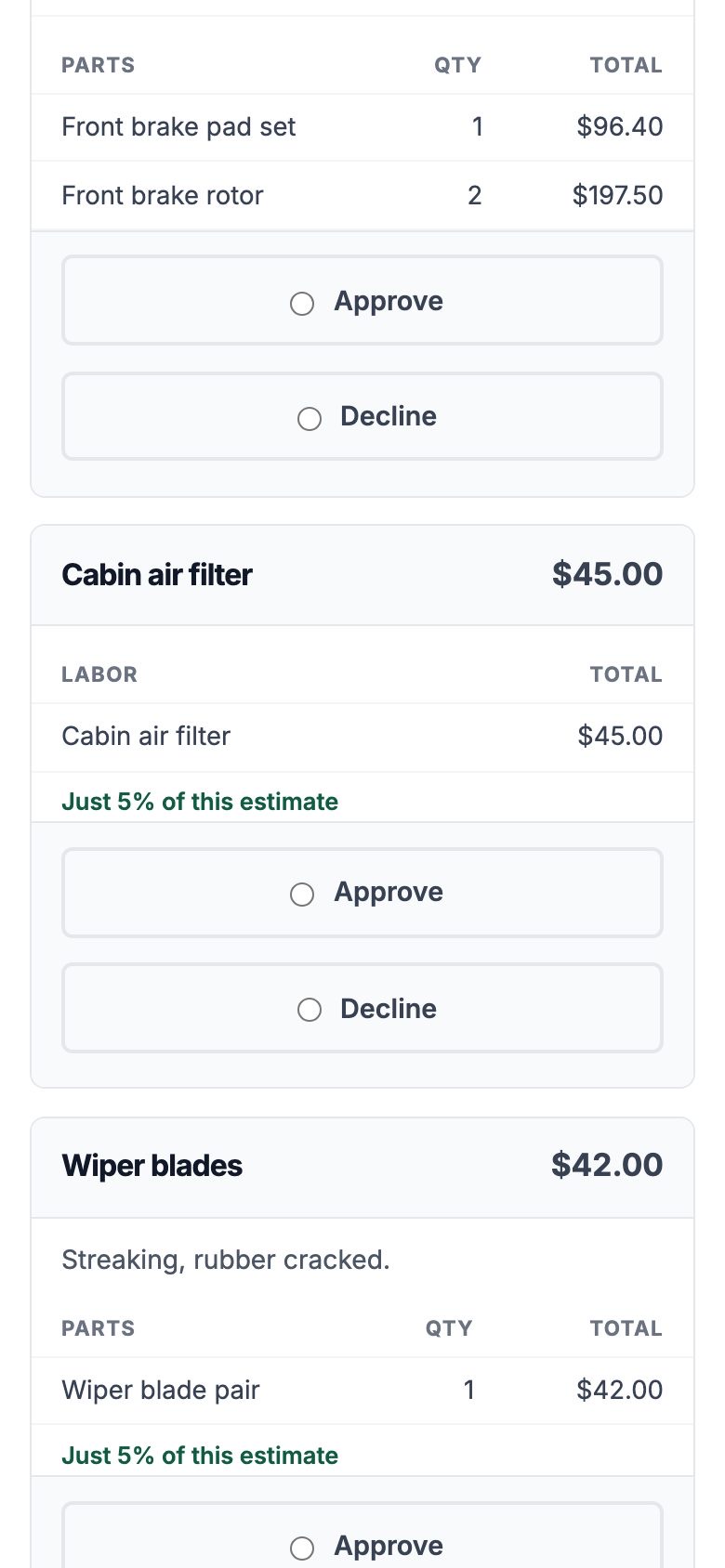
A text with the estimate lets the customer look at the photos, read the notes, approve the jobs they want, decline the rest and sign on their phone. In Gearboxly you see when they open it, and their approvals come straight back onto the repair order. If they have a question, they reply to the text and it lands in the shop's two-way inbox, not on someone's personal phone.
You'll still call some customers. A big transmission job or an older customer who prefers to talk deserves a call. But most routine approvals don't need one, and every call you skip is time back.
5. Keep what gets declined
Part of estimate time is rewriting work you already quoted last visit. If declined jobs are saved with their price and photos, the next time that car comes in the writer can add them back in a click instead of starting over. Gearboxly tracks declined and deferred work for exactly this reason.
A realistic rollout
Don't try to change everything on a Monday. Pick one step, run it for a week, then add the next. A sensible order for most shops:
- Week 1: send every estimate by text instead of calling first
- Week 2: set up your parts matrix and stop pricing by hand
- Week 3: have techs flag findings on the inspection with photos
- Week 4: build estimates from the inspection and labor-guide hours as you type
Re-time a few estimates at the end of the month and compare with where you started. You'll know exactly which change helped most in your shop, rather than guessing.
The short version
Estimates are slow because of lookups, retyping and phone tag, not because the work is hard. Tie labor times to the vehicle, price parts with rules, let the inspection become the estimate, and send it by text. Each step saves a few minutes. Across a full day of estimates, those minutes become hours your writer can spend with customers.
Tip: Start with the biggest time sink in your shop. For most, it's approvals. Moving that one step to text often saves more than everything else combined.
Try it on your own repair orders
14-day free trial. No credit card. No contract, cancel anytime.
Start free trial