
Sign up in two steps
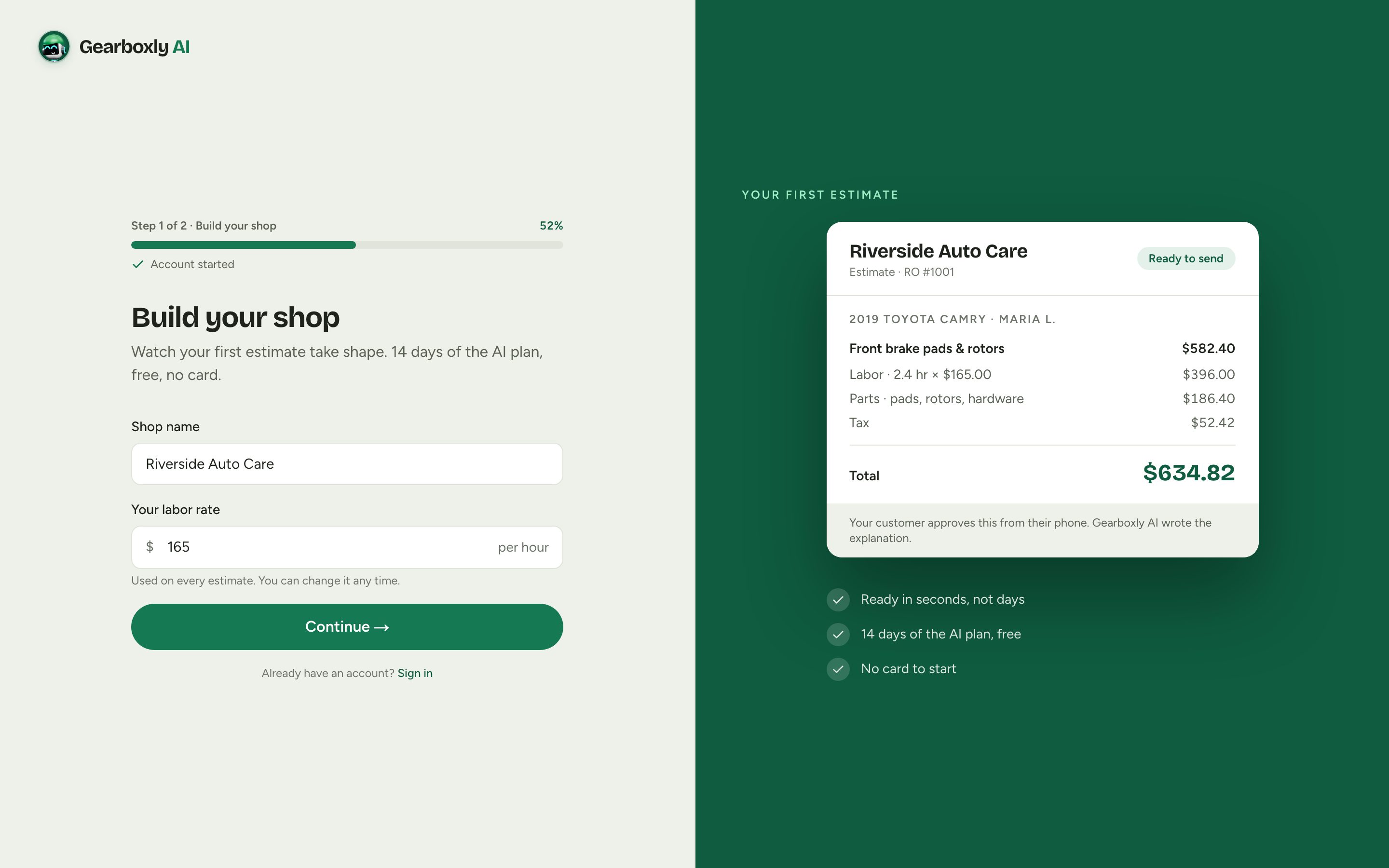
First you build your shop: type its name and your labor rate, and watch your first estimate take shape with your shop's name on it. Then save it with your name, email, and a password. Your labor rate is already set when you land.
Sign in
Your shop lives at app.gearboxly.com. Sign in with the email you used to start your trial. Everyone on your team gets their own login, so every note, clock entry and approval says who did it.
- 1Go to app.gearboxly.com.
- 2Enter your email and password, then tap Sign in.
- 3You land on the screen that fits your role: the Workshop board for owners and advisors, My work for technicians.
The Workshop board
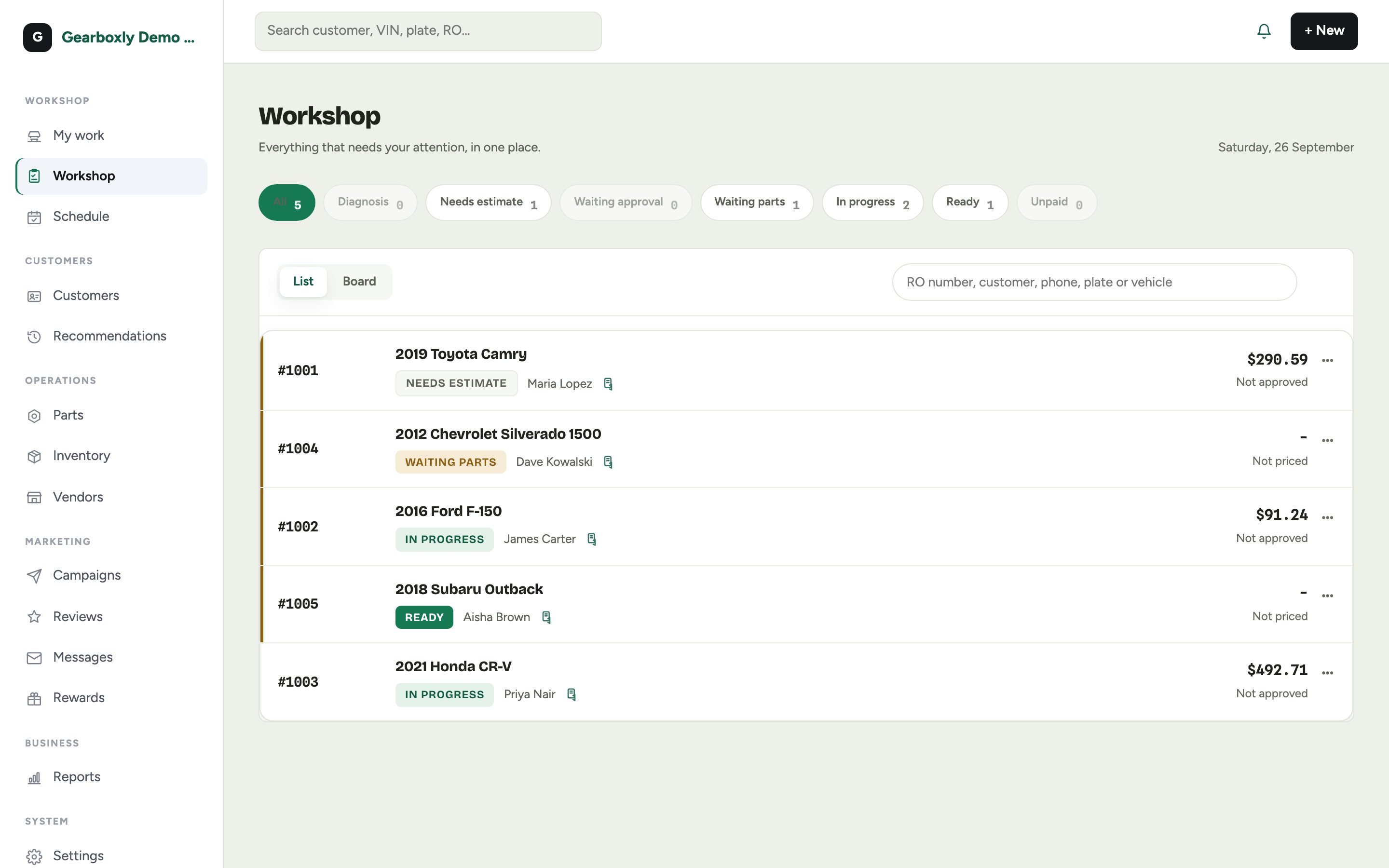
The Workshop board is home. Every open repair order is here, grouped by where it is: needs estimate, waiting approval, waiting parts, in progress, ready and unpaid. Tap a filter to narrow the list, or switch to Board for columns.
Your setup checklist
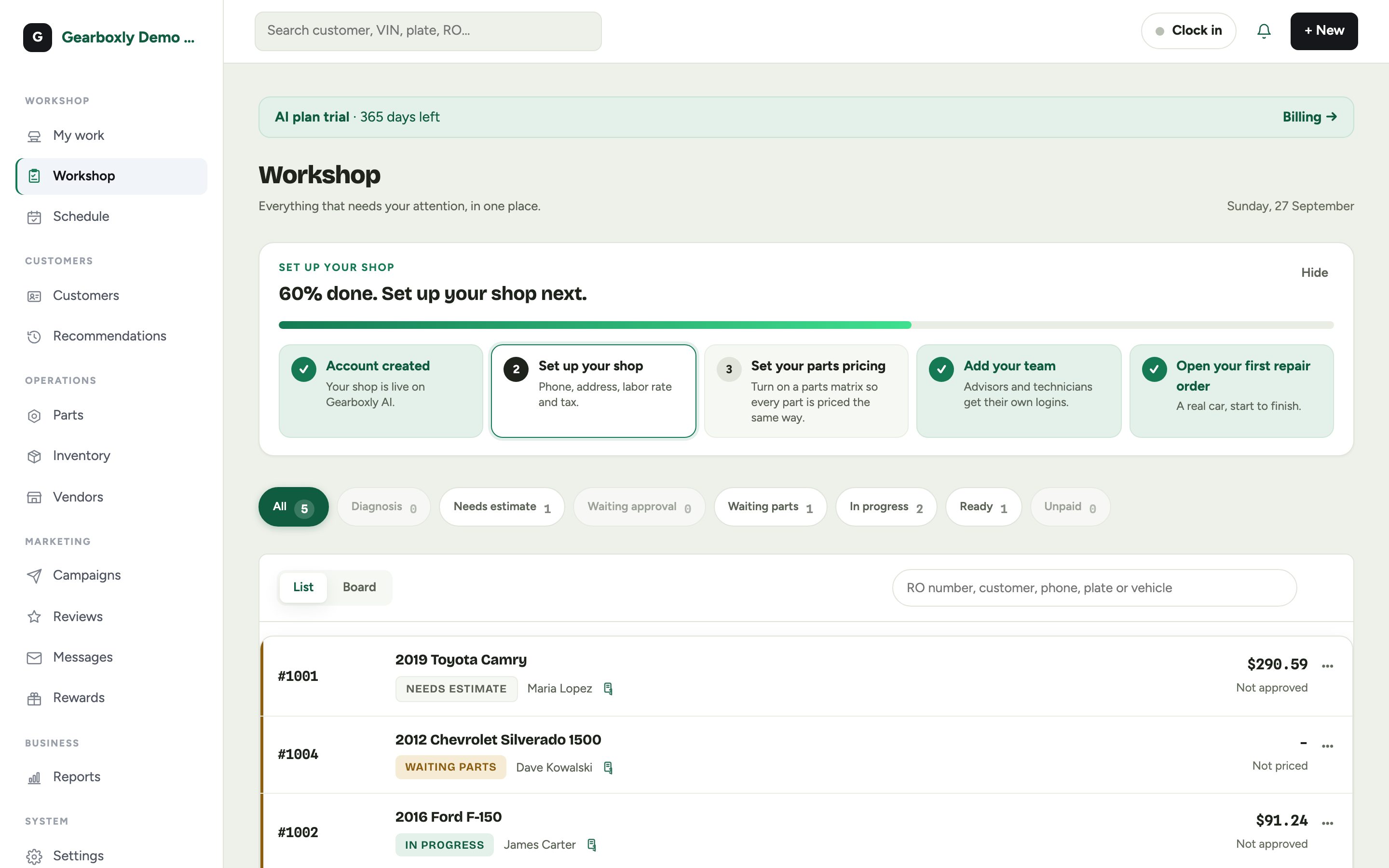
Owners see a setup checklist at the top of the Workshop board. It starts at 20%, because creating your account already counts. Each step links straight to the page that finishes it, and the next one is highlighted.
Your first-day checklist
- Shop settings
- Name, phone, address, labor rate and tax rate. These print on every estimate. See Shop settings.
- Parts pricing
- Turn on a parts matrix so every part is priced the same way, whoever adds it. See Parts pricing.
- Your team
- Add your advisors and technicians so work can be assigned. See Staff and roles.
- First repair order
- Create one for a real car to see the whole flow. See Create a repair order.