
Start a new RO
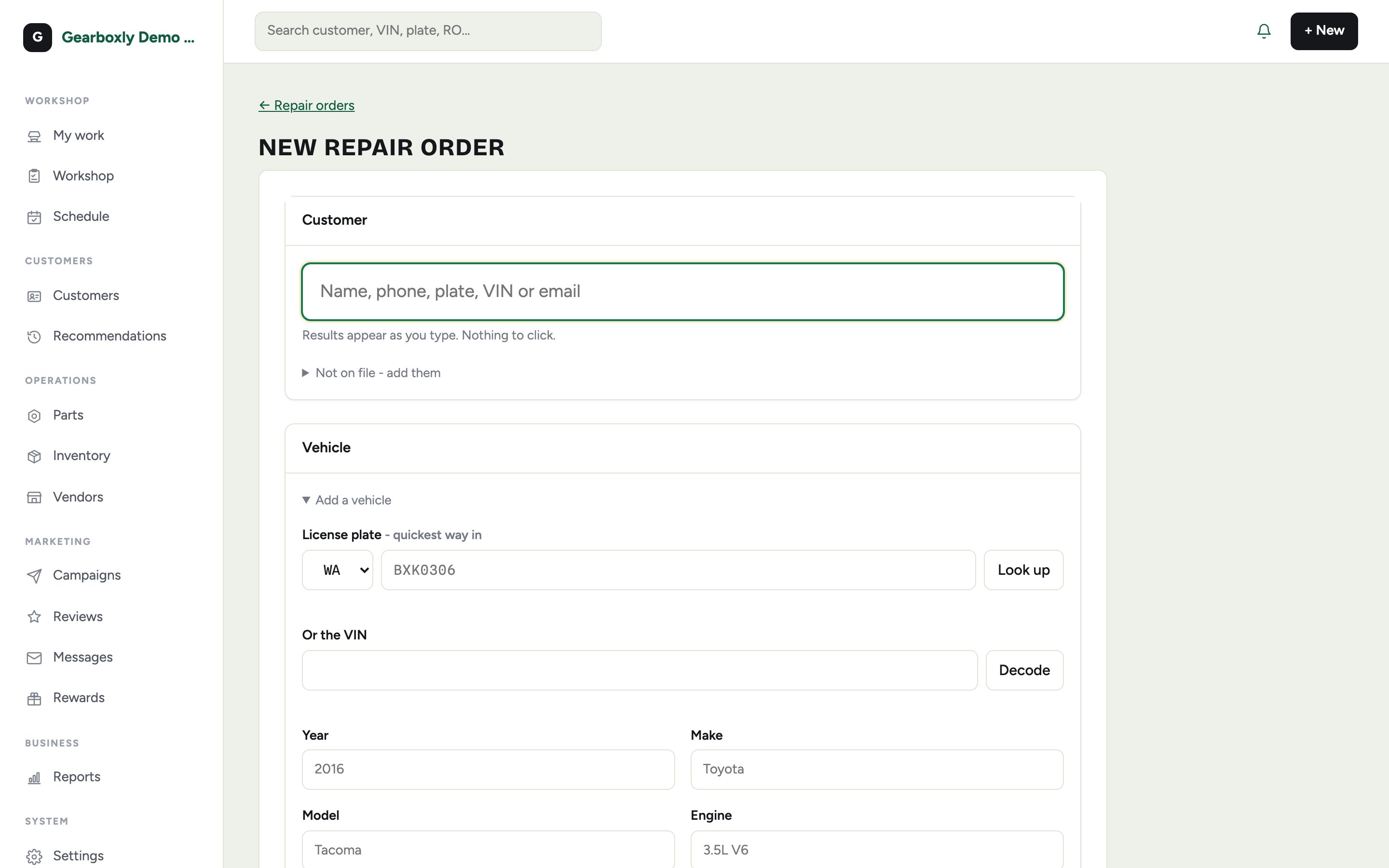
- 1Tap + New at the top right.
- 2Search for the customer by name or phone, or add a new one.
- 3Pick their vehicle or add it. A VIN fills in year, make, model and engine.
- 4Type the customer's concern in their own words, then create the order.
Check the car in
Check-in records the car's condition at drop-off: fuel level, keys, dash warning lights, belongings, and any damage marked on the walk-around. It protects the shop if a customer later asks about a scratch.
Mileage matters. If it's missing, the assigned technician can add it from their phone.
Assign a technician
Pick the technician on the RO. The car immediately shows up in their My work list, and they only see the vehicles assigned to them.