Add jobs
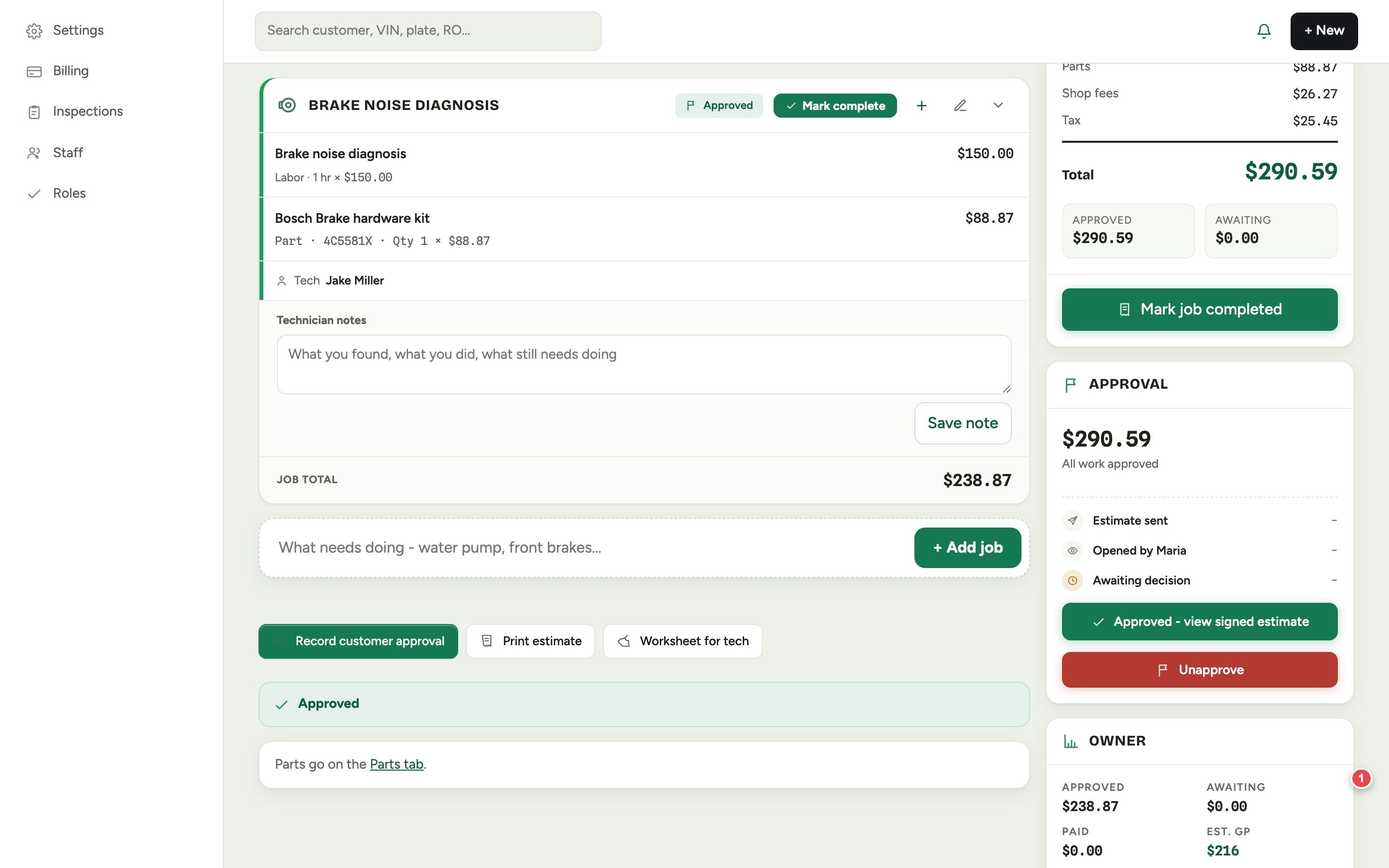
An estimate is a list of jobs. Each job has labor and parts under it, a technician, and its own status. Type what needs doing, like "front brakes", and tap + Add job.
Add labor
- 1Tap Add Labor on the job.
- 2Search the labor guide for the operation, or type your own hours.
- 3The hours are multiplied by your labor rate. Change the rate per line if this job bills differently.
Add parts
Tap Add Parts on the job and choose where the part comes from. Each source is priced the same way, so your margins stay consistent. See Add a part to a job for the details.
Send it for approval
- 1Check the totals on the right: labor, parts, shop fees and tax.
- 2Tap Share to text or email the estimate.
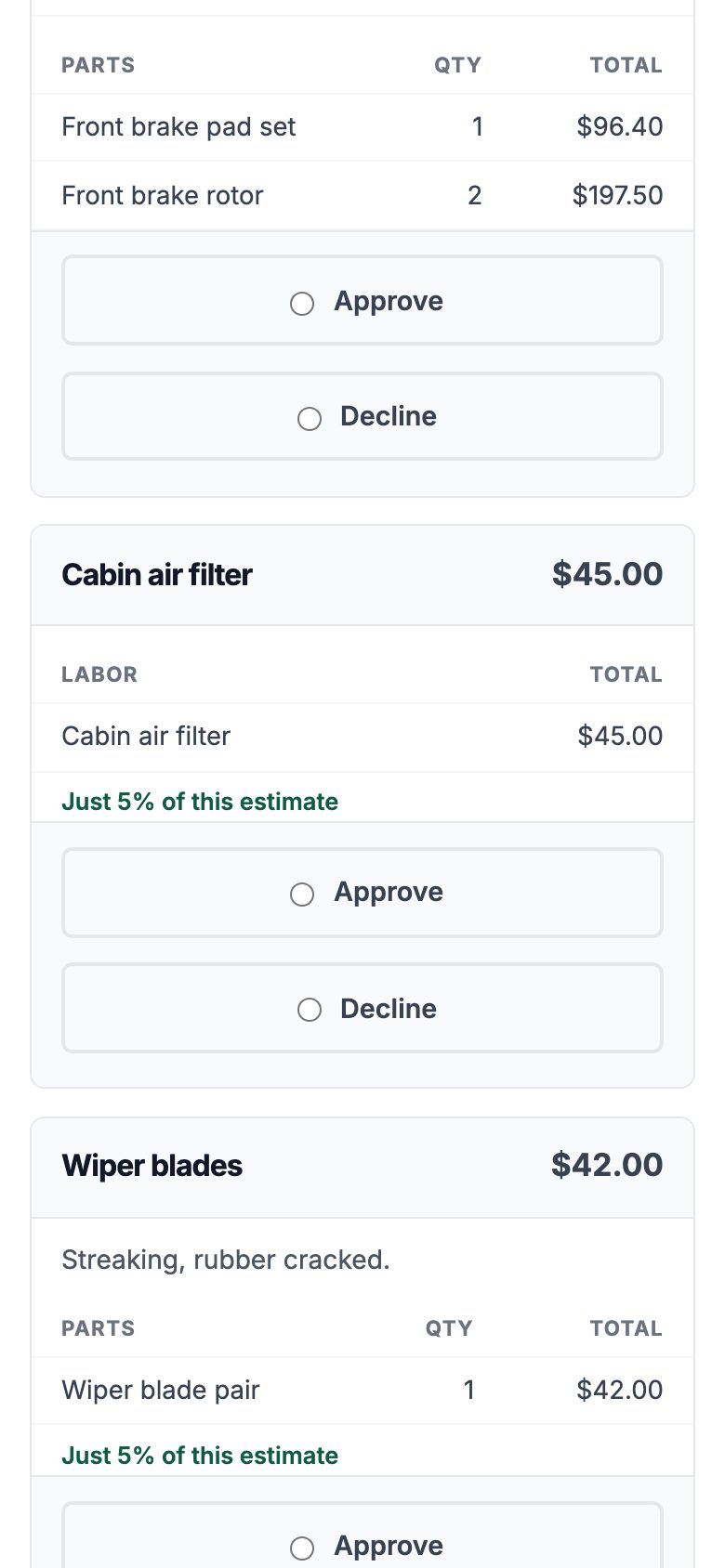
- 3The customer opens it on their phone, sees photos from the inspection, and approves or declines each job.
- 4Approvals land back on the RO and in your notifications, with who approved and when.
If the customer approves at the counter or on the phone, use Record customer approval so the approval is still on file.
What your customer sees
Your customer sees the biggest job first, so everything else reads in proportion. Smaller add-ons show their share of the visit, like "Just 5% of this estimate", which makes the easy yes easy.