
Open the invoice
When the work is done, open the repair order. Unpaid orders are flagged at the top, and the invoice total is on the right.
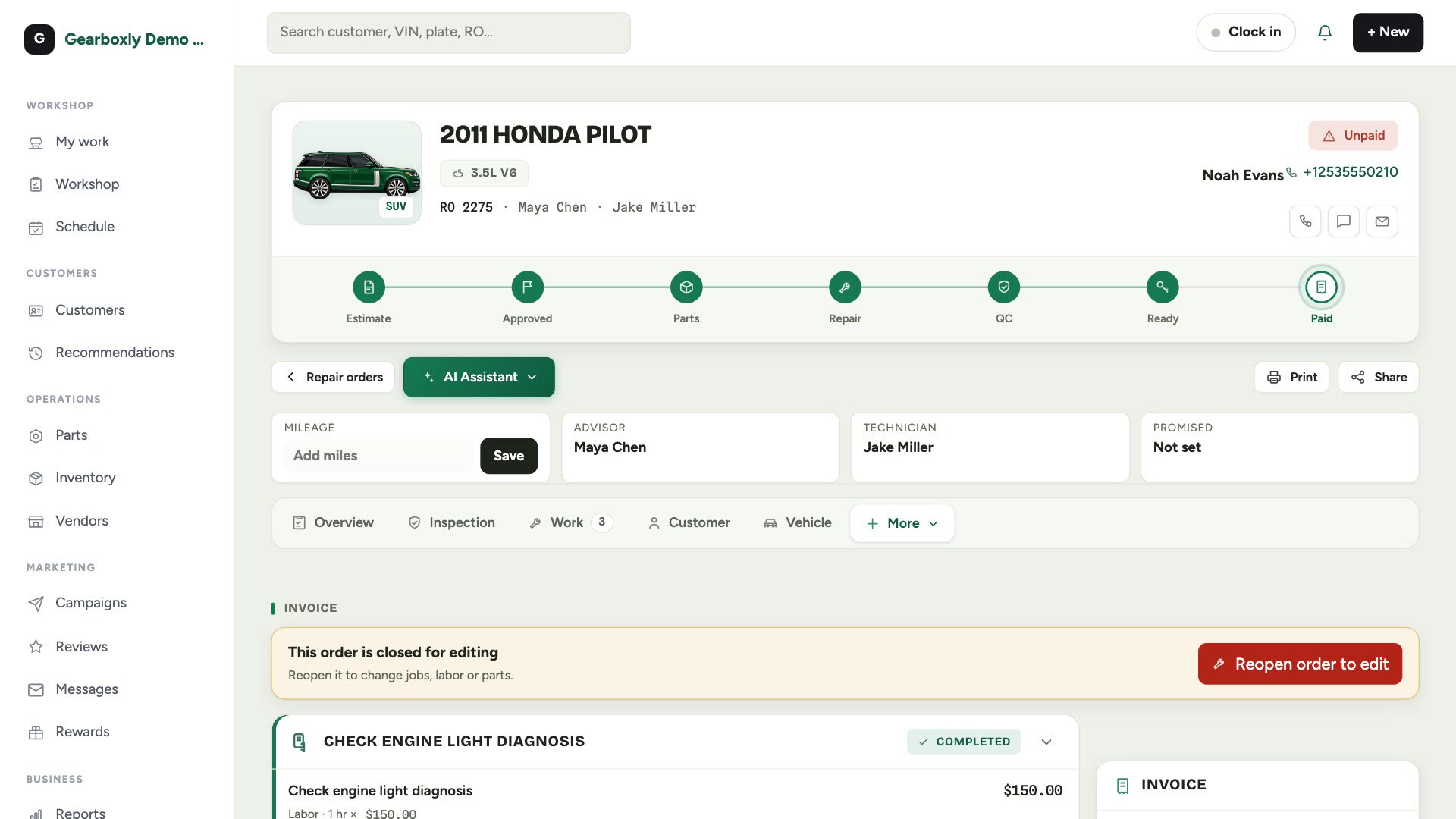
Take a payment
- 1Tap Take a payment.
- 2Choose card, cash or check and enter the amount.
- 3Or text a secure card link: the customer pays from their phone and it records itself.
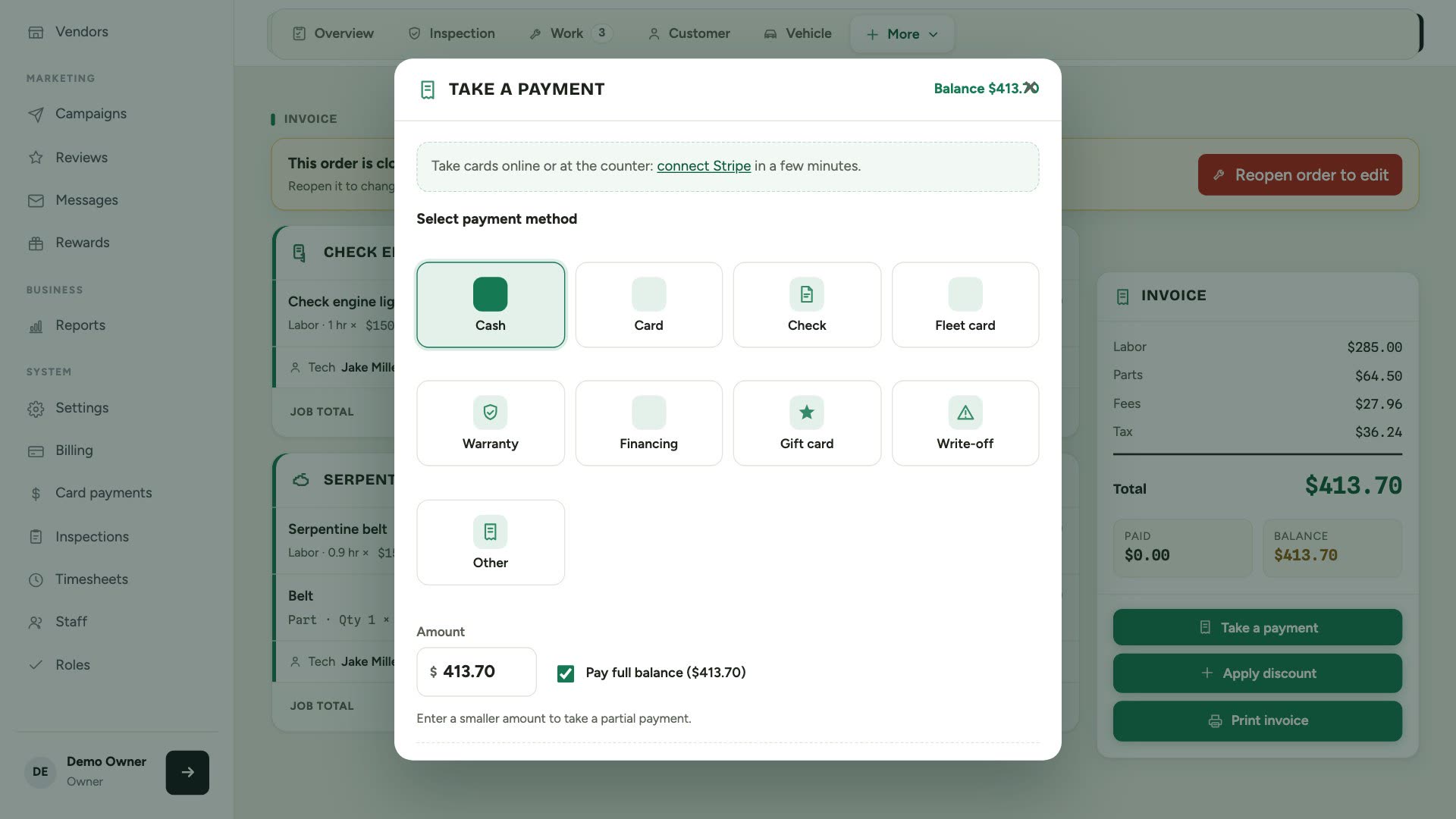
Card links need Stripe connected. See Card payments in Settings.
Print or share
Tap Print invoice for a paper copy, or Share to text or email it. Every invoice stays on the customer's profile.