
Auto repair scheduling and online booking
Updated
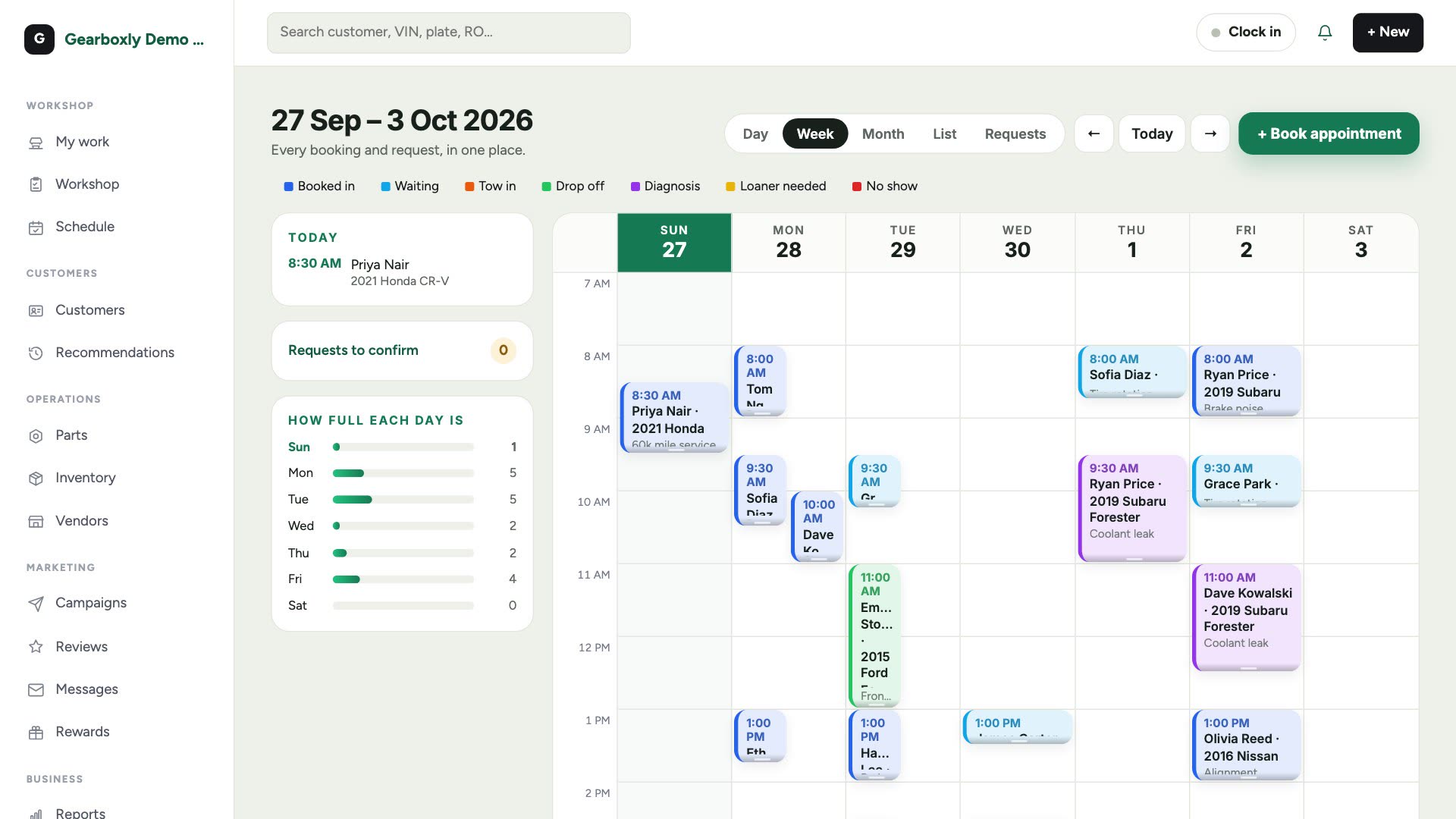
The Schedule shows every booking by time with a bar for how full each day already is. Book, drag and resize appointments, send a confirmation text and a reminder the day before, and take requests from your website's online booking page.
What it does
- Week planner with today's cars and a load bar for each day
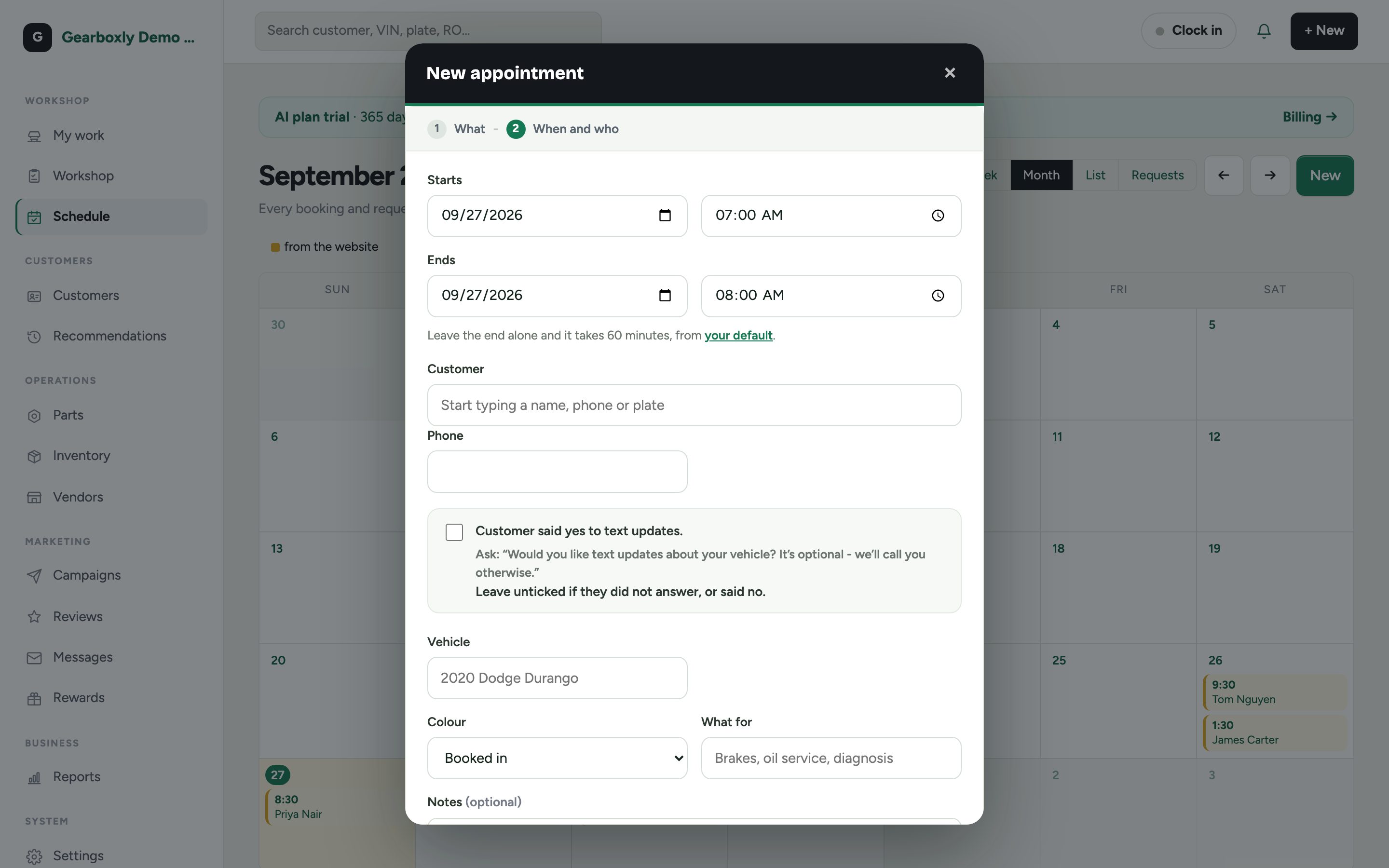
- Book, drag to move and resize appointments
- Confirmation text and a reminder the day before, for customers who agreed to texts
- Online booking page: customers pick an open time and describe the car
- Website requests wait in the Schedule for you to confirm
- Gearboxly AI can book, move and cancel appointments from chat
How it works
- 1
Open the Schedule
See the week by time, today's cars, and requests from your website waiting to be confirmed.
- 2
Book it
Tap + Book appointment, pick the day and time, then the customer, their car and what it's for.
- 3
Let customers book
On your website, customers tap Book online, pick an open time and tell you about the car.
- 4
Confirm
Each request lands in your calendar ready to confirm. Nothing is charged.
Questions shops ask
Is online booking included?
The Schedule is in every plan. A shop website with a dedicated online booking page and your own domain comes with the Growth plan.
Do customers get reminders?
If the customer agreed to text updates, a confirmation text goes out when you book and a reminder the day before.
Can customers book any time?
Only times that are open on your calendar are shown, based on your opening hours and booking settings.
More features
Try it on your own repair orders
14-day free trial of the AI plan. No credit card. No contract, cancel anytime.
Start free