Marketing
Your auto repair shop website: what it needs and why online booking matters
Most customers look you up before they call. Here's what your shop website needs to turn that visit into a booked car.
By Gurjivan Singh, owner of Auto Star Garage and builder of Gearboxly
· 4 min read
Before most customers call a new shop, they look it up. They see your Google listing, tap through to your website and decide in a few seconds whether to call, book or go back to the search results. Your website doesn't need to be fancy. It needs to answer their questions fast and make booking easy.
What every shop website needs
- Your phone number, tappable, at the top of every page
- Address, hours and a map
- The services you do (and don't do)
- A way to book online
- Reviews or a link to them
- Real photos of your shop and team, not stock images
That's the core. A customer with a check engine light on a Tuesday afternoon wants to know three things: do you work on my car, are you open, and can I get in. Answer those clearly and you'll beat most competitors.
Make it work on phones
Most people searching for a repair shop are on a phone, often standing next to a car that's acting up. If your site is hard to read on a small screen, the phone number isn't tappable or the booking form is a mess, they'll leave. Open your own site on your phone and try to book an appointment. If it's frustrating for you, it's worse for them.
Why online booking matters
Not everyone wants to call. Some customers are at work, some prefer not to talk on the phone, and some are searching at 10pm when the shop is closed. Online booking lets them pick a time when it's convenient for them, and the appointment shows up on your schedule.
Online booking also takes pressure off the phones during the morning rush. Every customer who books online is a call your service writer doesn't have to take while they're checking in a car.
Tip: Ask for the vehicle and the concern on the booking form, but keep it short. Every extra required field loses people. You can get the details at check-in.
Your Google Business Profile matters too
Your website and your Google Business Profile work together. Make sure the hours, phone, address and services match exactly. Link your profile to your website and booking page. Inconsistent details across the web confuse customers and can hurt how you show up in local search.
Related: How to get more Google reviews for your auto repair shop
Gearboxly shop websites
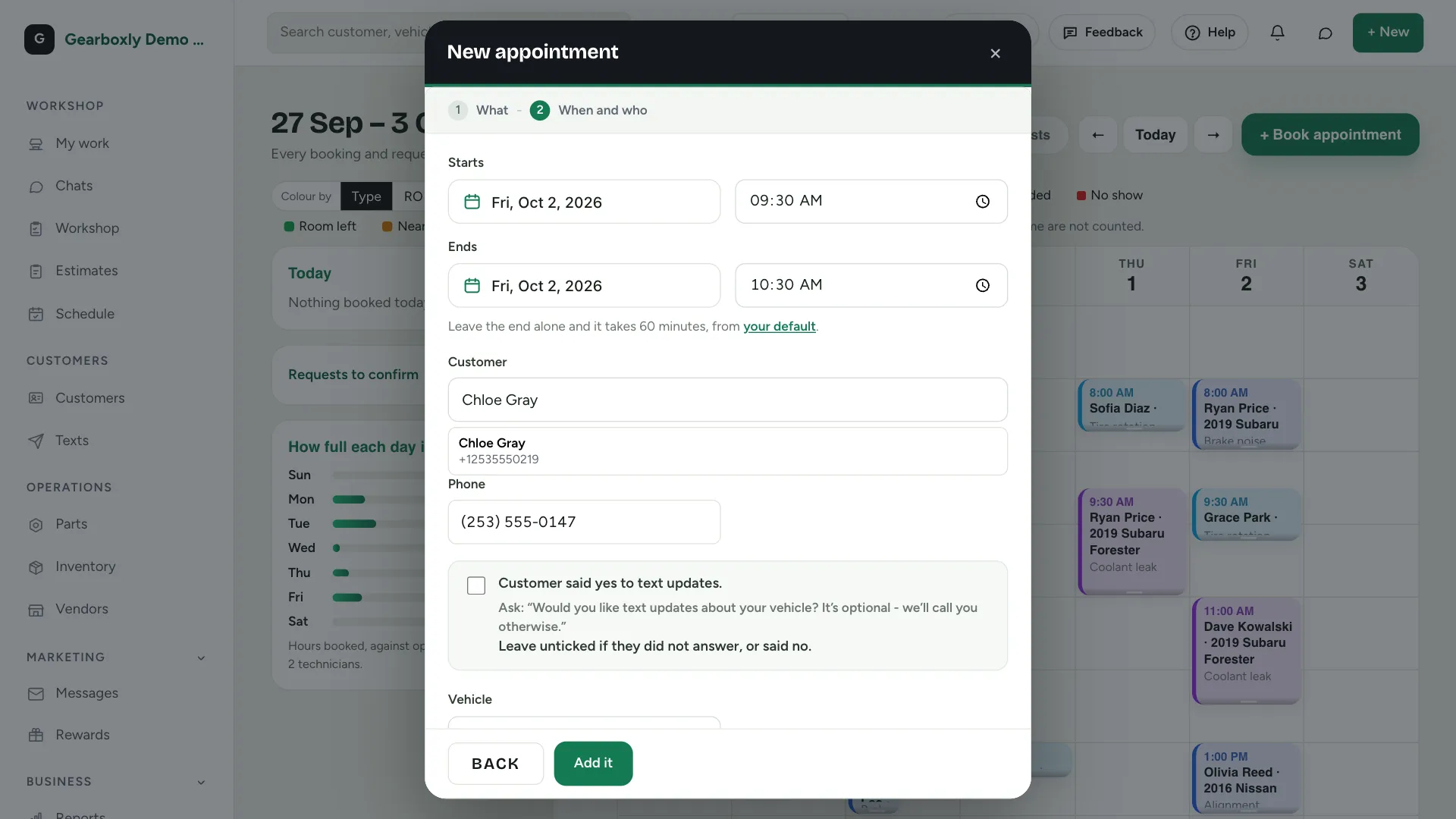
Gearboxly's Growth plan includes a shop website with five templates to choose from, an online booking page and your own domain with step-by-step setup. You preview your whole site in each template with your own details, then publish. Bookings land on the Gearboxly schedule, and you can add your Google review link and social pages from the site settings.
Content that helps
A few clear pages do more than a lot of thin ones. A page for each main service you want more of, like brakes, diagnostics or maintenance, written in plain language, helps customers and search engines understand what you do. Mention the area you serve naturally. Skip keyword stuffing; it reads badly and doesn't help.
Check it every few months
- Are your hours current, including holidays?
- Does the booking form still work on a phone?
- Are the photos still of your shop and team?
- Do the services listed match what you actually do?
The short version
Make the phone number tappable, show your address, hours and services, use real photos, add online booking and keep it all matching your Google profile. A simple site that answers the customer's three questions beats a fancy one that doesn't.
Try it on your own repair orders
14-day free trial. No credit card. No contract, cancel anytime.
Start free trial