Every customer, car and visit in one profile
Updated
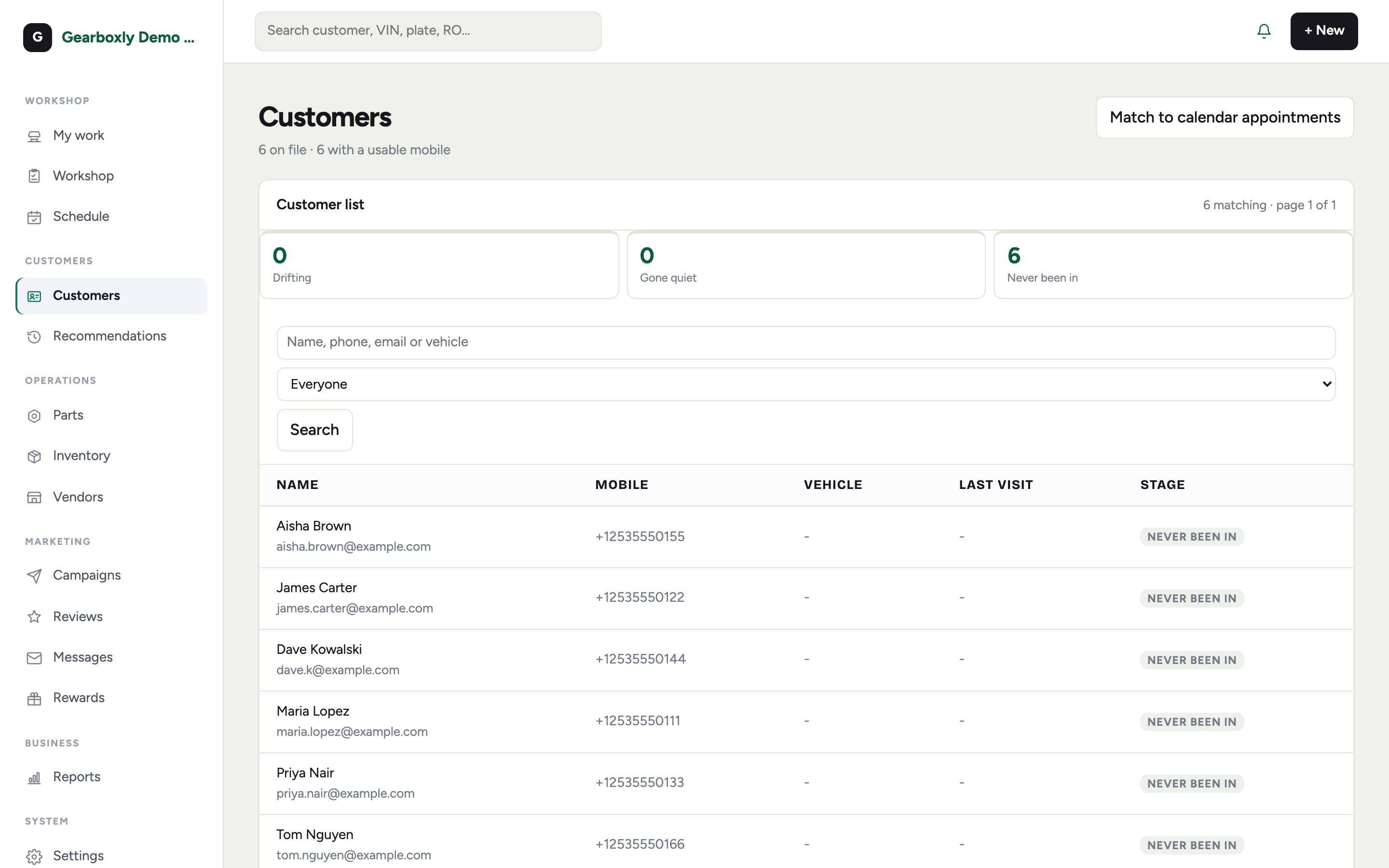
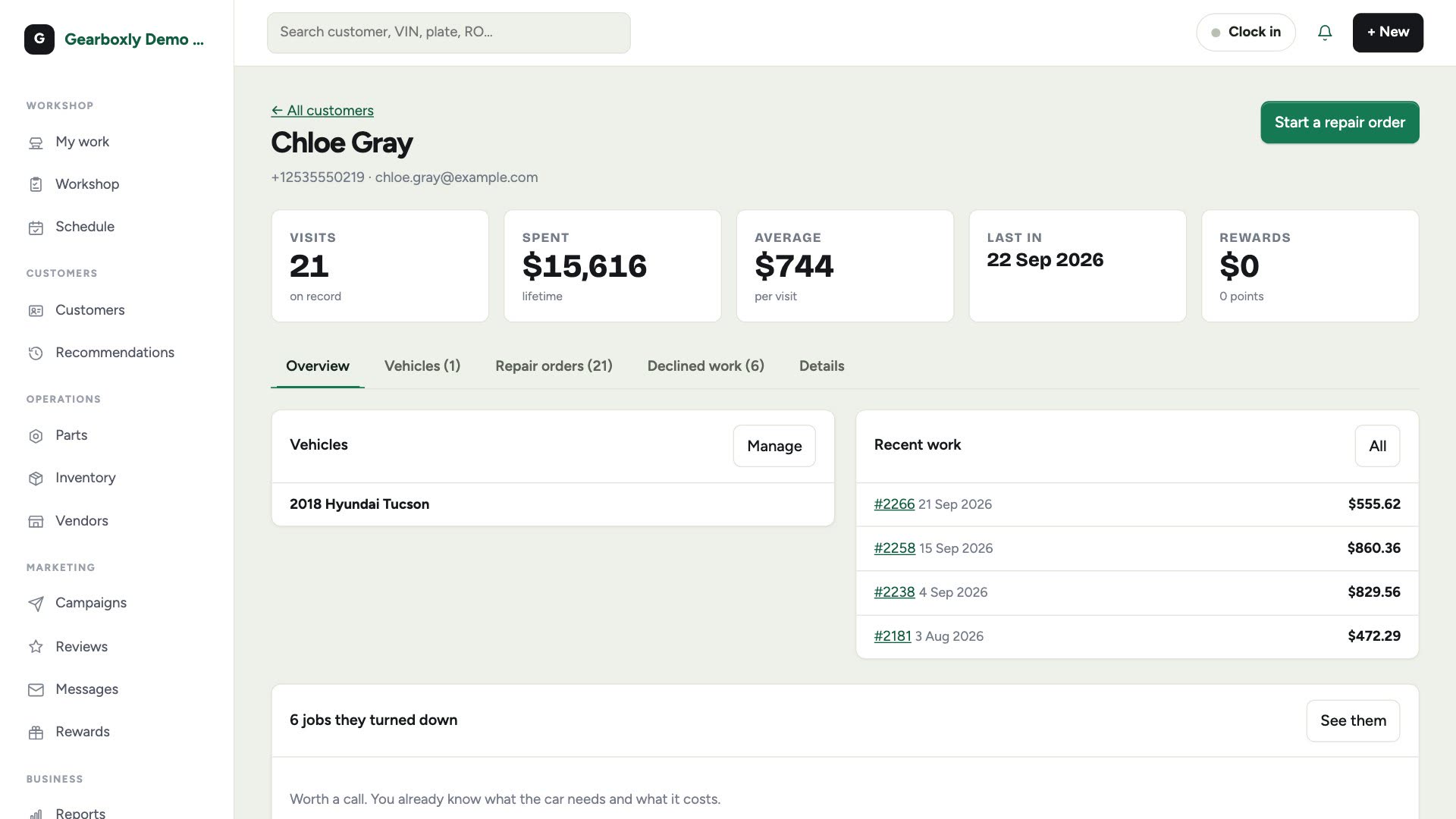
Every customer in Gearboxly has one profile. It holds their cars, every repair order they have had, what they have spent, the repairs they turned down and how to reach them. Search finds anyone by name, phone, email or car, and the same record feeds repair orders, texting and follow-ups.
What it does
- A profile per customer with their vehicles, recent work and declined work
- Every repair order they have had, newest first, with the old invoice one tap away
- Visits, lifetime spend, average per visit and last visit at a glance
- More than one phone number per customer, each labeled and with its own can-text setting
- Private tags like Fleet, VIP or Cash only. Staff see them; customers never do
- Declined work kept with each customer, with a link to the Deferred work list
- Search by name, phone, email or car, and filter the list by customer stage
- An email invite to the customer portal from the customer's card
- Import customers and vehicles from CSV files when you switch from another system
How it works
- 1
Add or find the customer
Tap Add customer, or search by name, phone, email or car. A mobile number already on file opens that customer instead of making a duplicate.
- 2
Add their cars
Add year, make, model and plate now or later. A customer can have as many cars as they drive.
- 3
Work from the profile
Start a repair order from the profile, reopen any past invoice, or see the repairs they said no to and follow up.
- 4
Keep it organized
Add extra phone numbers, tag the customers who need special handling, and invite them to the customer portal by email.
Questions shops ask
Can a customer have more than one phone number?
Yes. Add extra numbers such as spouse, work or home, each with a label and its own can-text setting. Anyone who replied STOP is never offered for texting.
What are customer tags?
Labels for your own use, like Fleet, VIP, Cash only or Net-30. Staff see them on the customer page and the repair order. Customers never do.
Can I bring my customers from another system?
Yes. Import data is included on every plan. Upload customers, vehicles and repair order history as CSV files, review a dry run before anything is written, and undo the import if you need to. Text message history and declined work are not imported.
Do customers get a login?
Yes. From the customer's card you can email an account invite. They sign in with their email to see visits, vehicles, appointments and rewards points.
What happens to repairs a customer declined?
They stay on the customer's profile with the price and the car, and appear on the Deferred work list so you can follow up.
More features
Try it on your own repair orders
14-day free trial of the AI plan. No credit card. No contract, cancel anytime.
Start free