
Parts pricing and inventory for repair shops
Updated
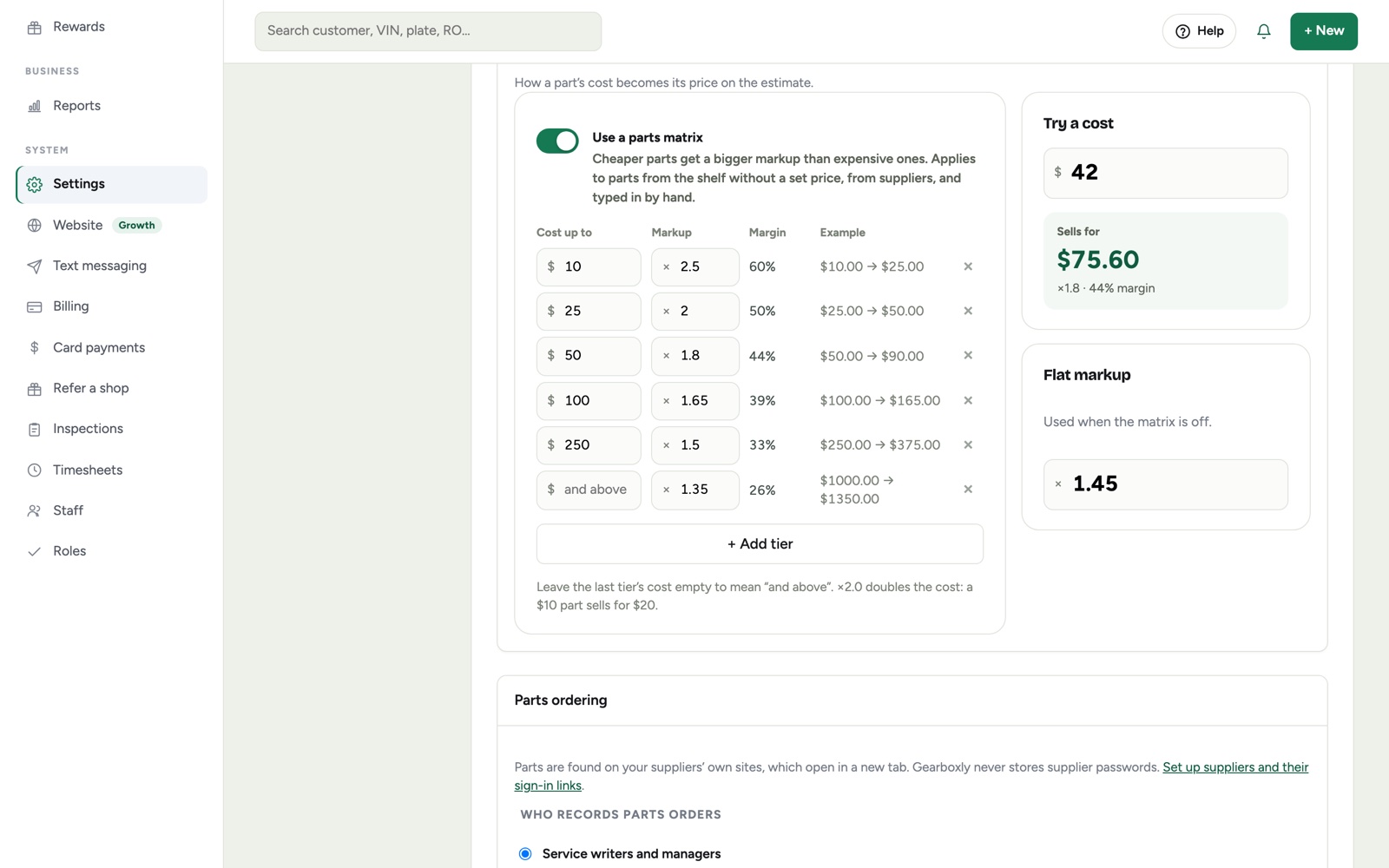
Every part is priced the same way, whoever adds it: a parts matrix gives cheap parts a bigger markup than expensive ones, or use one flat markup. Find parts opens your supplier's site from the repair order, and inventory keeps count of what's on your shelf.
What it does
- Parts matrix: for parts costing up to this much, multiply by this
- A price tester to see what any cost sells for
- Selling price shown from your matrix before a part is saved
- Find parts opens your supplier's site from the repair order; PartsTech opens searching the car's VIN
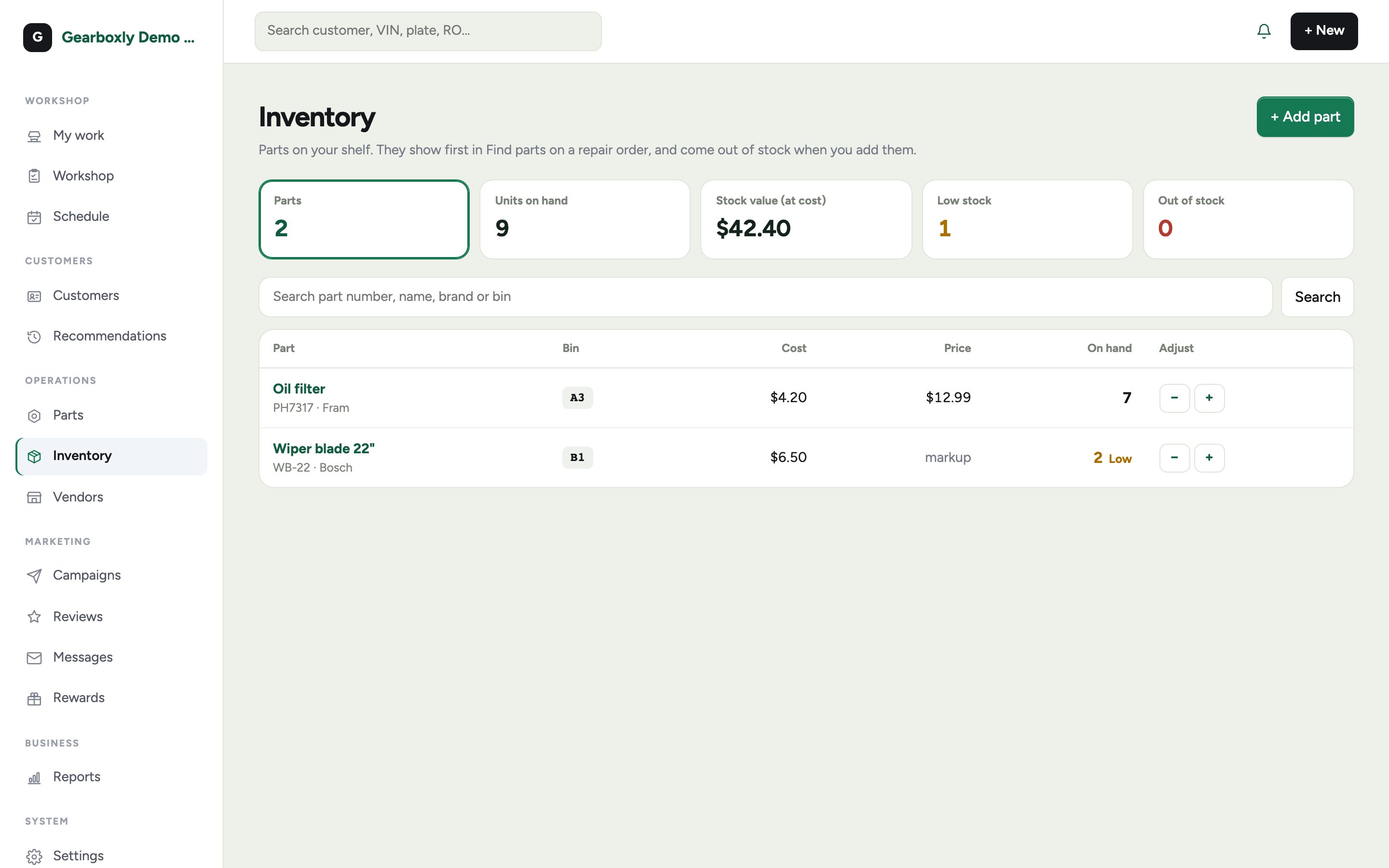
- Inventory with bin location, quantity, cost and shelf price; low stock flagged
- Parts used on a job come off the count automatically
How it works
- 1
Set your matrix
In Settings, Parts pricing, add cost tiers and multipliers. Leave the last tier's cost empty to mean “and above.”
- 2
Find the part
Find parts opens your supplier's own site from the repair order. You order there and add it to the job.
- 3
Add it to the job
Enter your cost and Gearboxly shows the selling price from your matrix before you save.
- 4
Keep count
Stocked parts pulled onto a job drop the count. Receive new stock to put it back up.
Questions shops ask
Can we order parts inside Gearboxly?
Find parts opens your supplier's own site from the repair order, and you order there. Direct PartsTech ordering, where parts come back to the repair order automatically, is coming soon.
Does Gearboxly store supplier passwords?
No. You sign in to your supplier yourself; Gearboxly never sees or stores supplier passwords.
Can we use one flat markup instead?
Yes. Turn the matrix off to use one flat markup for everything.
More features
Try it on your own repair orders
14-day free trial of the AI plan. No credit card. No contract, cancel anytime.
Start free