
A technician workspace built for the phone
Updated
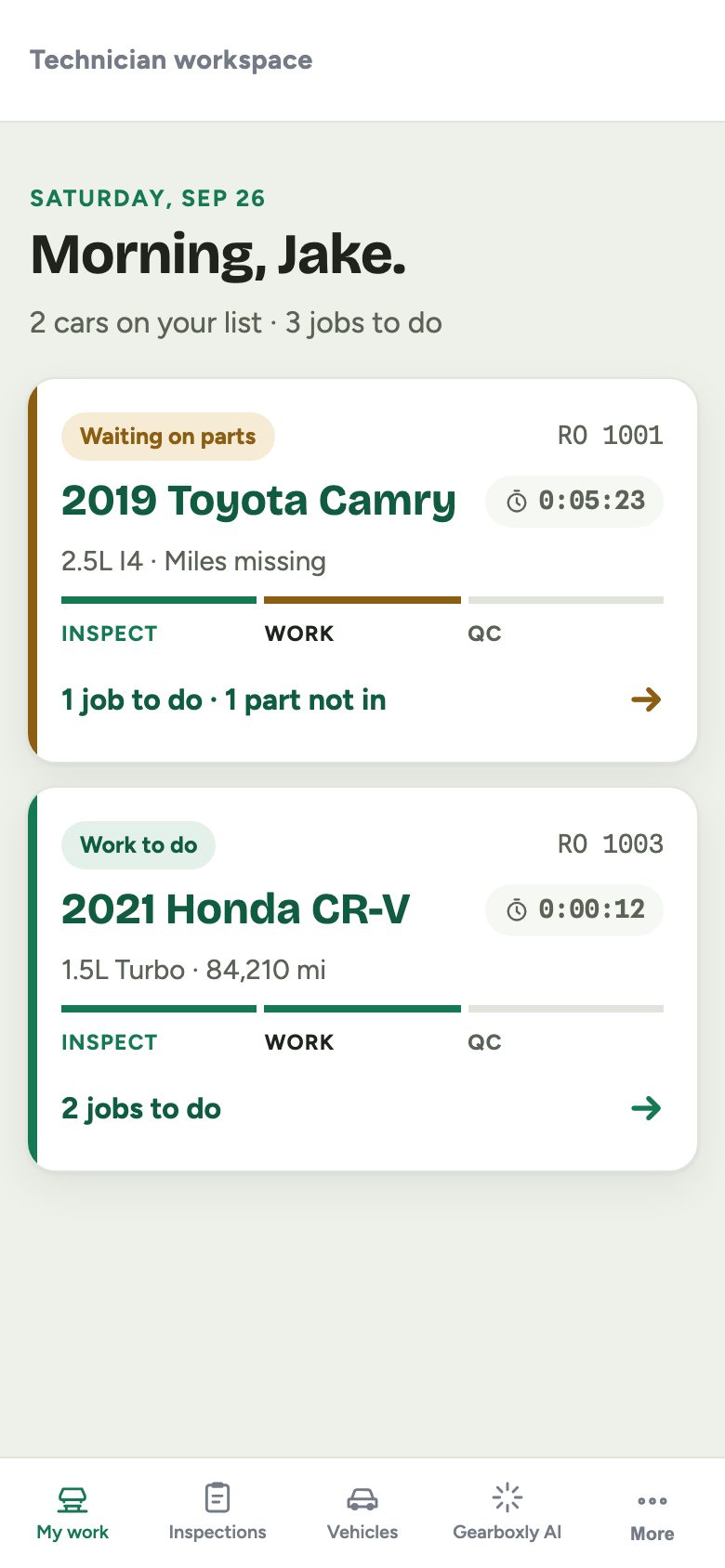
Technicians get their own workspace, built for a phone. My work lists only the cars assigned to them, with the concern and the next step. No prices, no customer phone numbers. Job clocks, inspections and parts requests are all a tap away.
What it does
- My work: only the tech's assigned cars, with where each one is
- One car top to bottom: vehicle, concern, inspection, jobs, parts and past visits
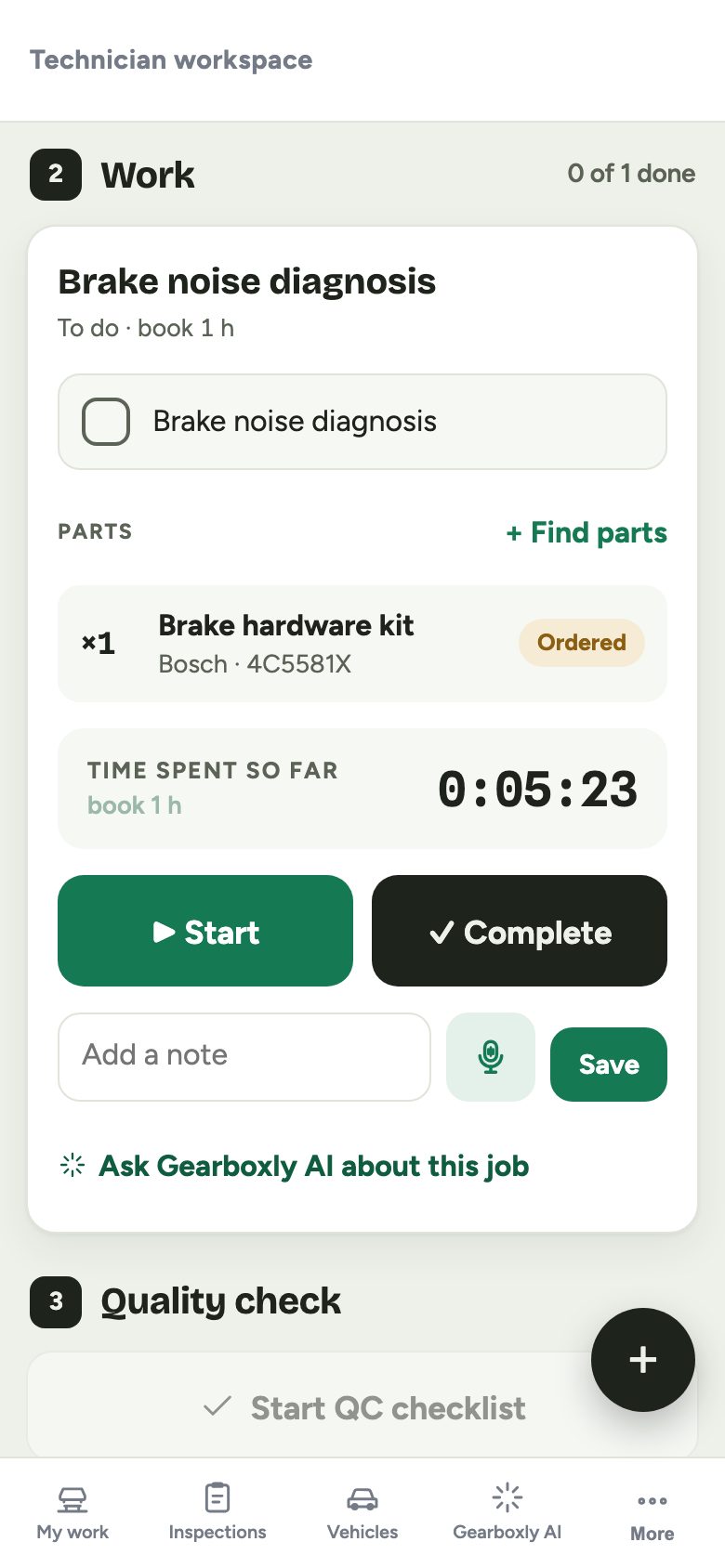
- Start, Pause and Complete on each job, with a running clock
- The timer turns amber if a job runs past its booked hours
- Request parts or ask a question; it lands on the RO and in the counter's notifications
- Time clock for shifts and breaks on every screen
How it works
- 1
Open My work
The tech sees their assigned cars and the next step on each.
- 2
Start the job
Tap Start. The clock starts and the RO moves to In progress.
- 3
Ask the counter
Request a part or ask a question. The service writer orders it and marks it handled.
- 4
Complete
Tap Complete when it's done. The clock stops and the advisor sees it.
Questions shops ask
Can technicians see prices?
No. The technician workspace shows the work, not prices or customer phone numbers.
Can technicians order parts?
Technicians request parts from the bay and the service writer orders them. Every purchase goes through the front counter.
Is there a mobile app?
The workspace runs in the phone's browser today. The iPhone and Android staff app is coming soon, included with AI and Growth.
More features
Try it on your own repair orders
14-day free trial of the AI plan. No credit card. No contract, cancel anytime.
Start free