License plate lookup for auto repair shops
Updated . In the AI plan and above.
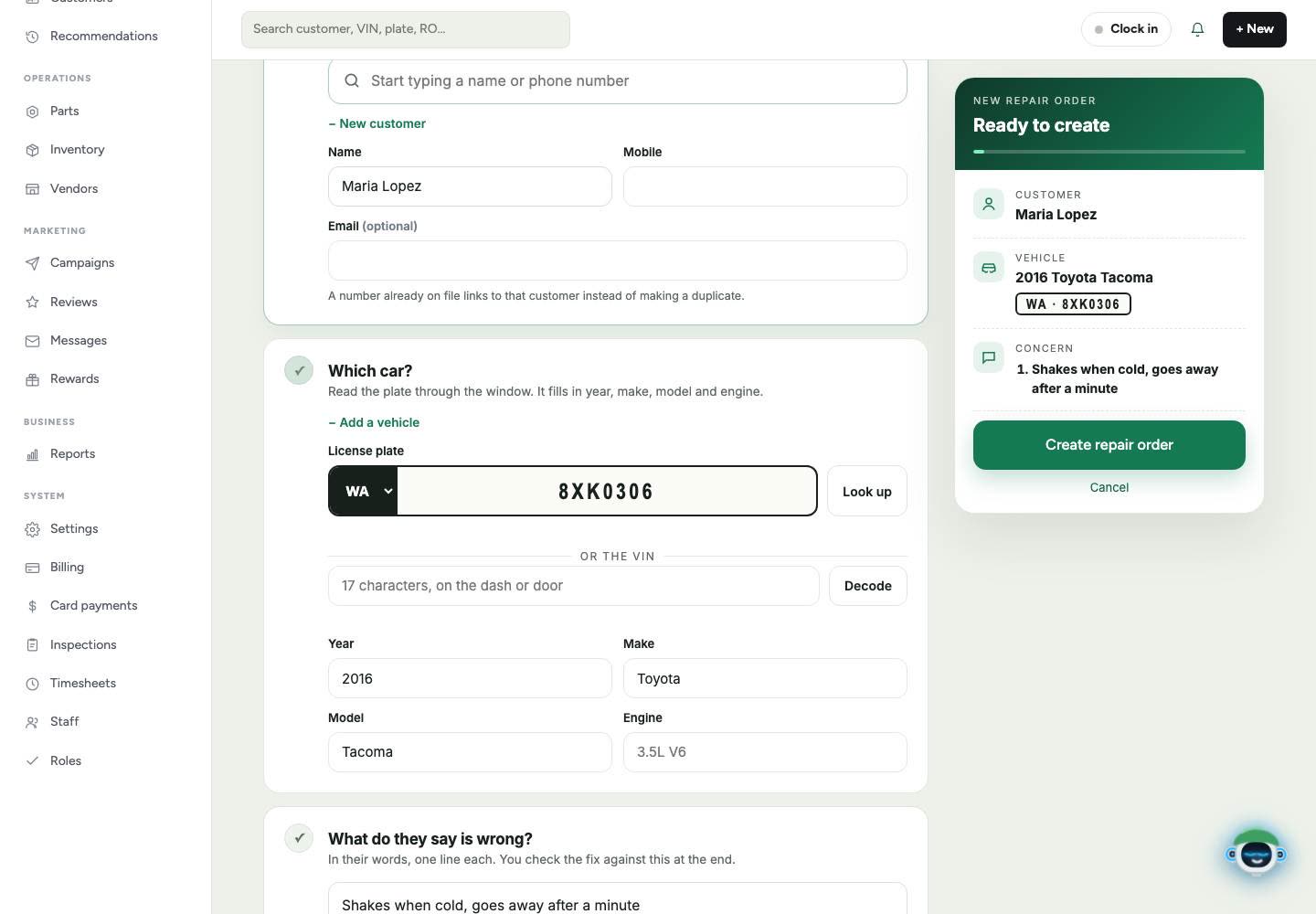
Read the plate through the window. It fills in the year, make, model and engine, so nobody types the car in by hand.
What it does
On a new repair order, pick the state, type the plate and tap Look up. The year, make, model and engine fill in. You can also type or scan a VIN instead. VIN decode is in every plan.
At phone check-in, you can snap a photo of the license plate and Gearboxly AI reads it, including the plate's state. A car you have seen before comes up with its owner, how many visits, and when they were last in.
If that mobile number is already on file, Gearboxly uses that customer instead of making a duplicate. If the car already has an open repair order, you see a warning with a link to it.
How it works
- 1
Start the check-in
Start a new repair order, or tap the round + button on your phone to check in a car.
- 2
Give it the plate
Choose the state and type the plate, or snap a photo of it, then tap Look up.
- 3
Check the car and go
Year, make, model and engine fill in. Add the customer's name and mobile, and the repair order is created.
Questions shops ask
What does the lookup fill in?
The year, make, model and engine of the car.
Do I need the plate, or can I use the VIN?
Either. You can type or scan the VIN instead of the plate, and VIN decode is in every plan.
Which plan includes license plate lookup?
The AI plan, and Growth, which includes everything in AI.
Will it make a duplicate customer?
No. If the mobile number is already on file, Gearboxly uses that customer instead of making a duplicate.
Related features
More in the plans
Try license plate lookup in your own shop
14-day free trial of the AI plan. No credit card. No contract, cancel anytime.
Start free