Heavy duty and diesel repair shop software
Updated
Heavy duty work means long jobs, big estimates and customers who need a clear approval on file. Gearboxly handles those parts today. It is not built around trucks and fleets, and the list below says where that shows.
What this shop needs
- Estimates with several jobs that customers can approve one by one
- Your own labor hours when a guide does not cover the truck
- Job clocks so you can see time spent on long repairs
- A clear record of who approved what and when
- Customer records for owner-operators and small fleets
- Fleet billing, unit tracking and DOT inspection forms
What Gearboxly does today
- Repair orders. Customer, vehicle, concern and every job on one order, with a status on the Workshop board.
- Estimates with job-by-job approval. Each job has its own labor, parts and technician. Customers approve or decline each one by text and sign, and the repair order records who approved and when.
- Your own labor hours. Type your own hours on any job. Labor guide times are for the vehicle on the repair order, so check coverage for your trucks.
- Job clocks. Techs start, pause and complete each job with a running clock that turns amber when it runs past booked hours.
- Customer profiles and tags. Every vehicle and visit on one profile, with private tags like Fleet that staff see and customers never do.
- Deferred work. Work a customer turned down stays on their profile with the price, for follow-up.
What it does not do yet
- There is no fleet batch billing, net terms or statement invoicing. A Fleet tag is a private label only.
- There are no unit or asset numbers, hour-meter tracking or preventive maintenance schedules.
- There are no DOT or FMCSA inspection forms. Inspections use checklists with photos and measurements.
- VIN decode and labor times are built around cars and light trucks. For heavy trucks, enter the details and hours yourself.
Need one of these? Tell us what you need. We build from what shops ask for, and we will not promise a date we cannot keep.
The tools you would use
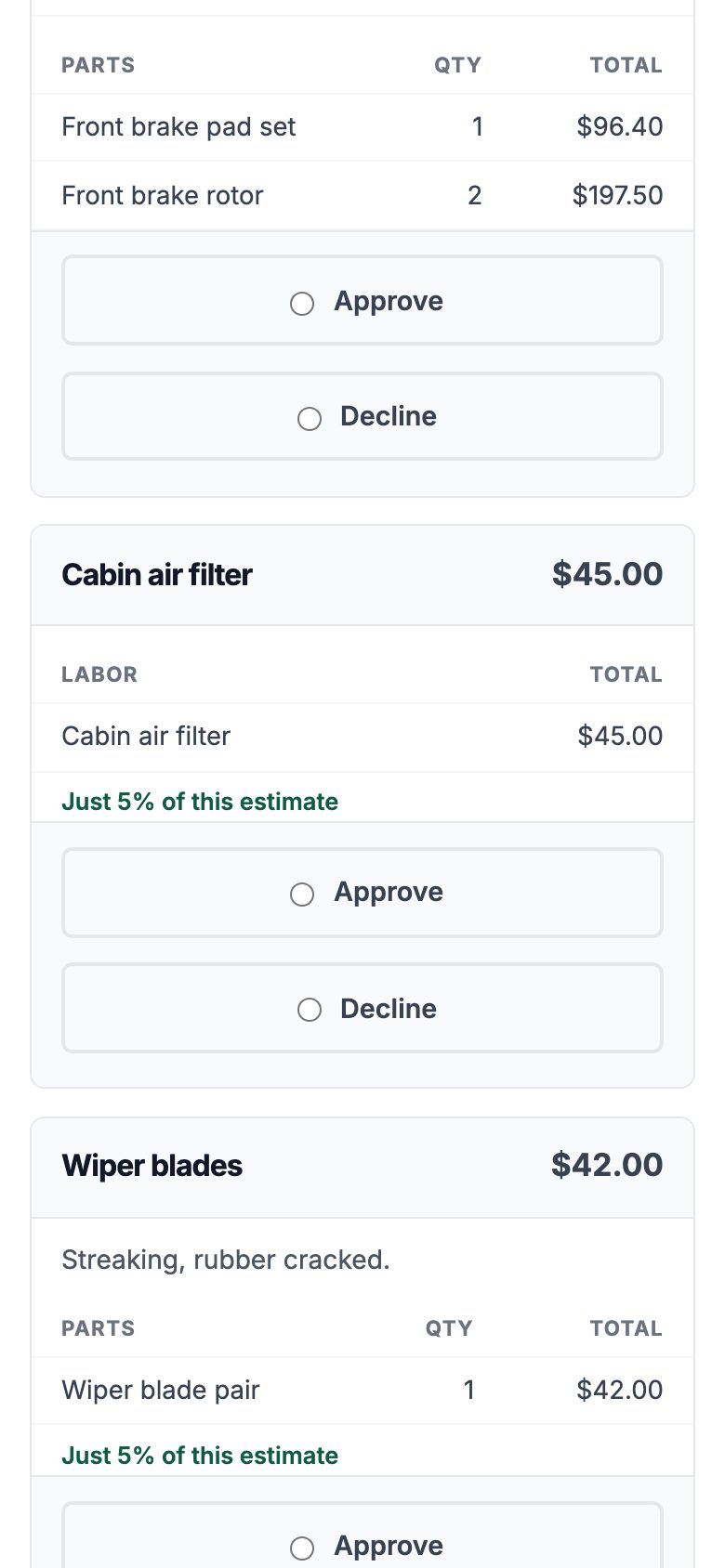
Approval on file
Each job approved or declined by the customer, with who and when.
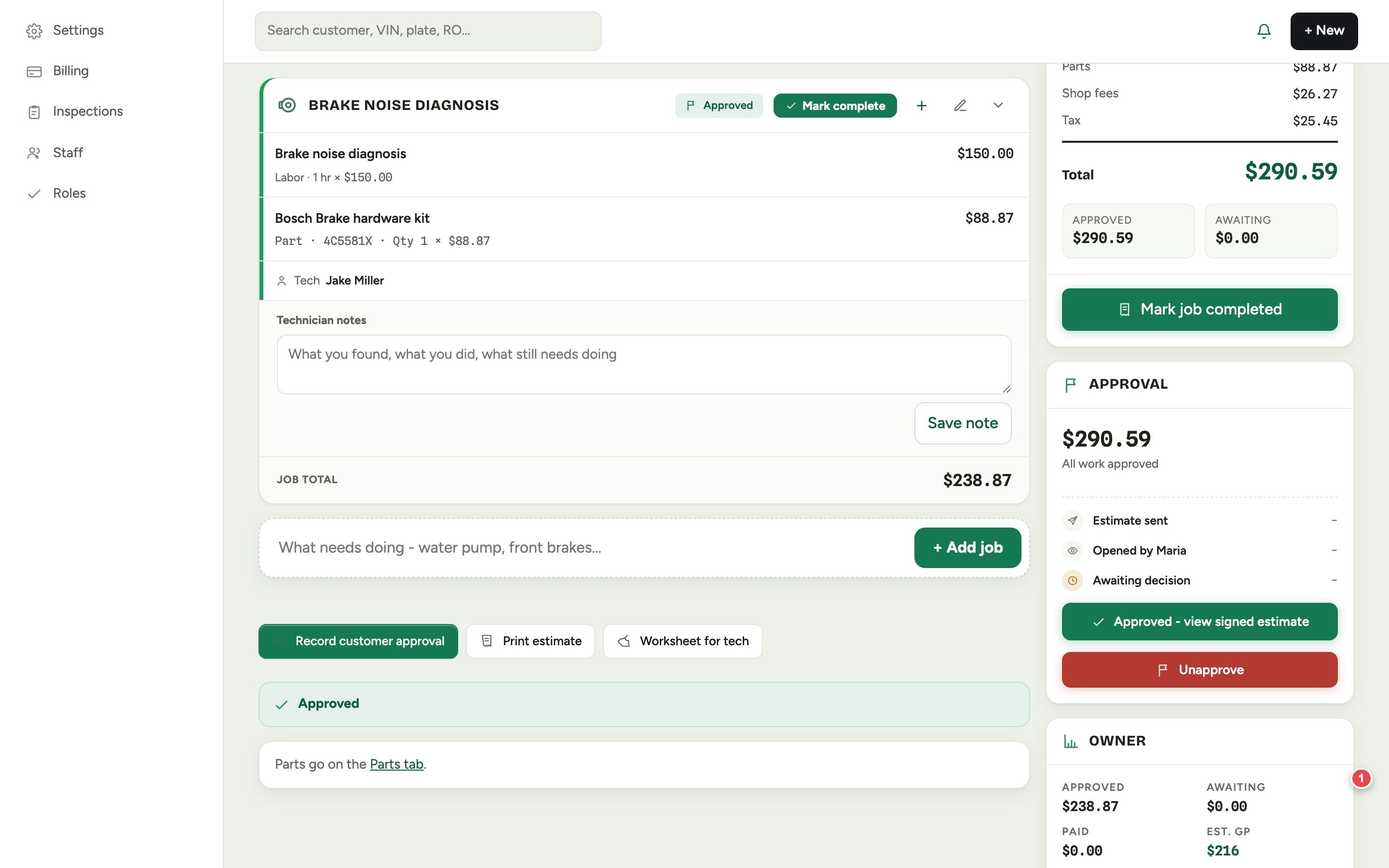
Estimates by job
Labor, parts and technician under each job.
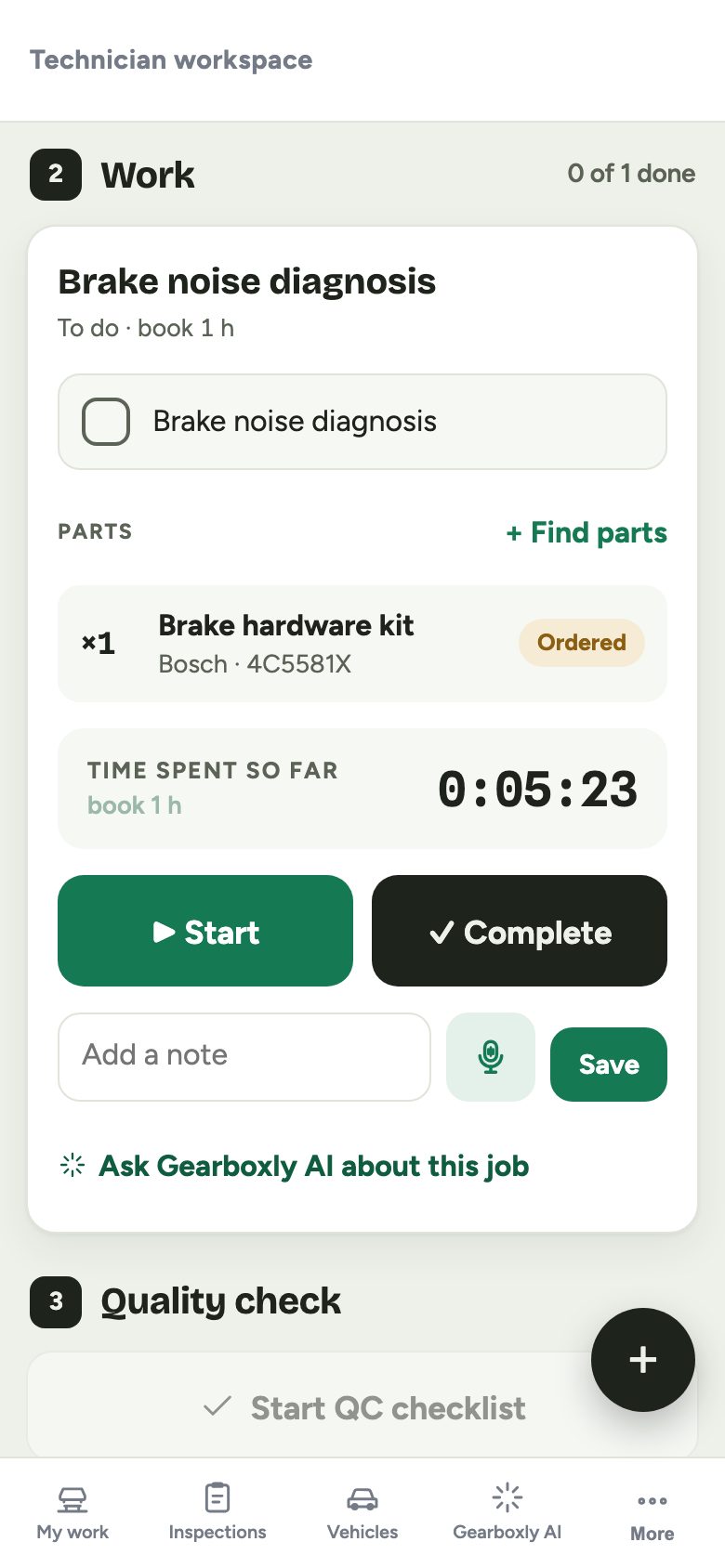
Job clocks
Start, pause and complete on a phone, with a running timer.
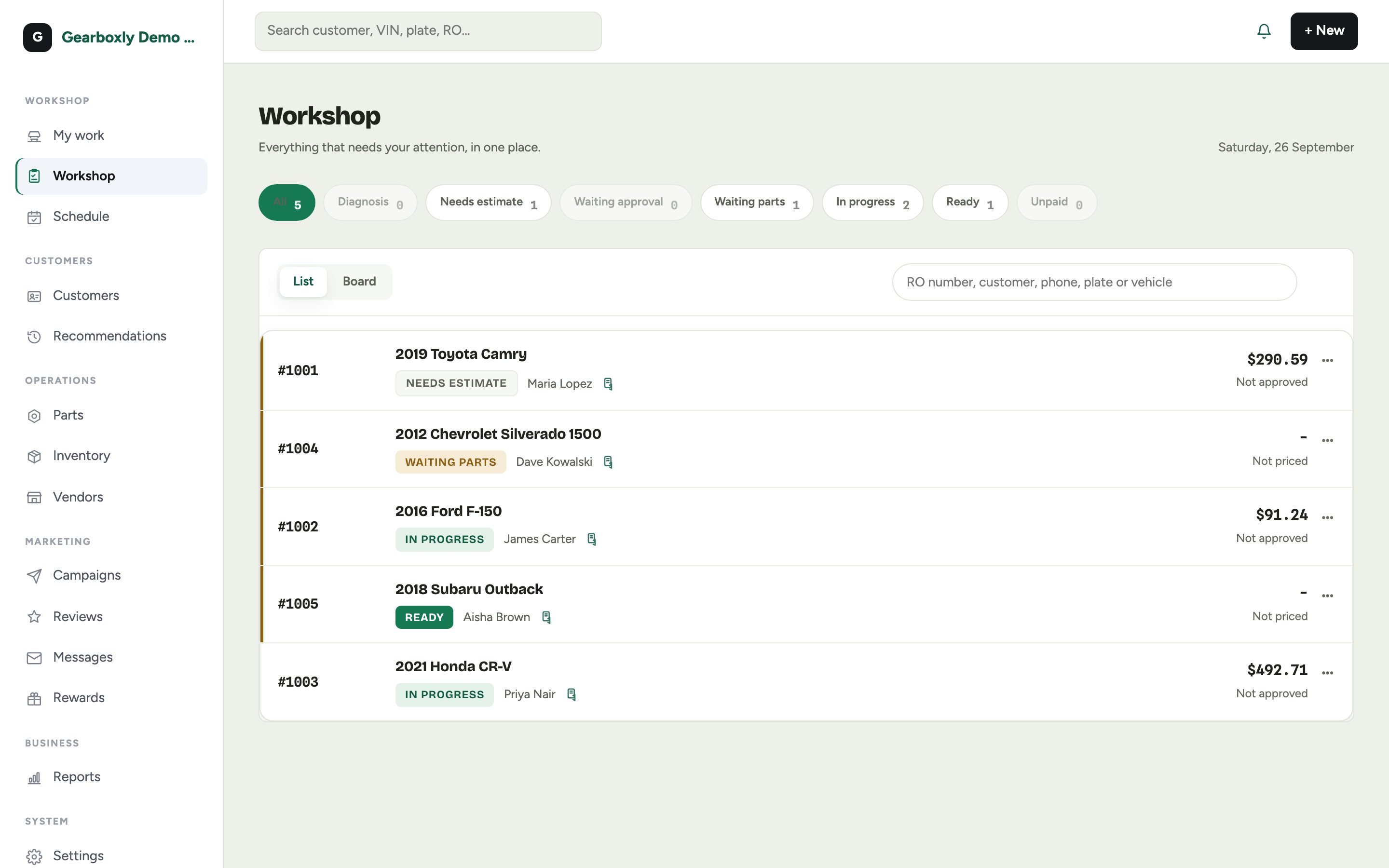
Workshop board
Every open order with its status, so a long job does not get lost.
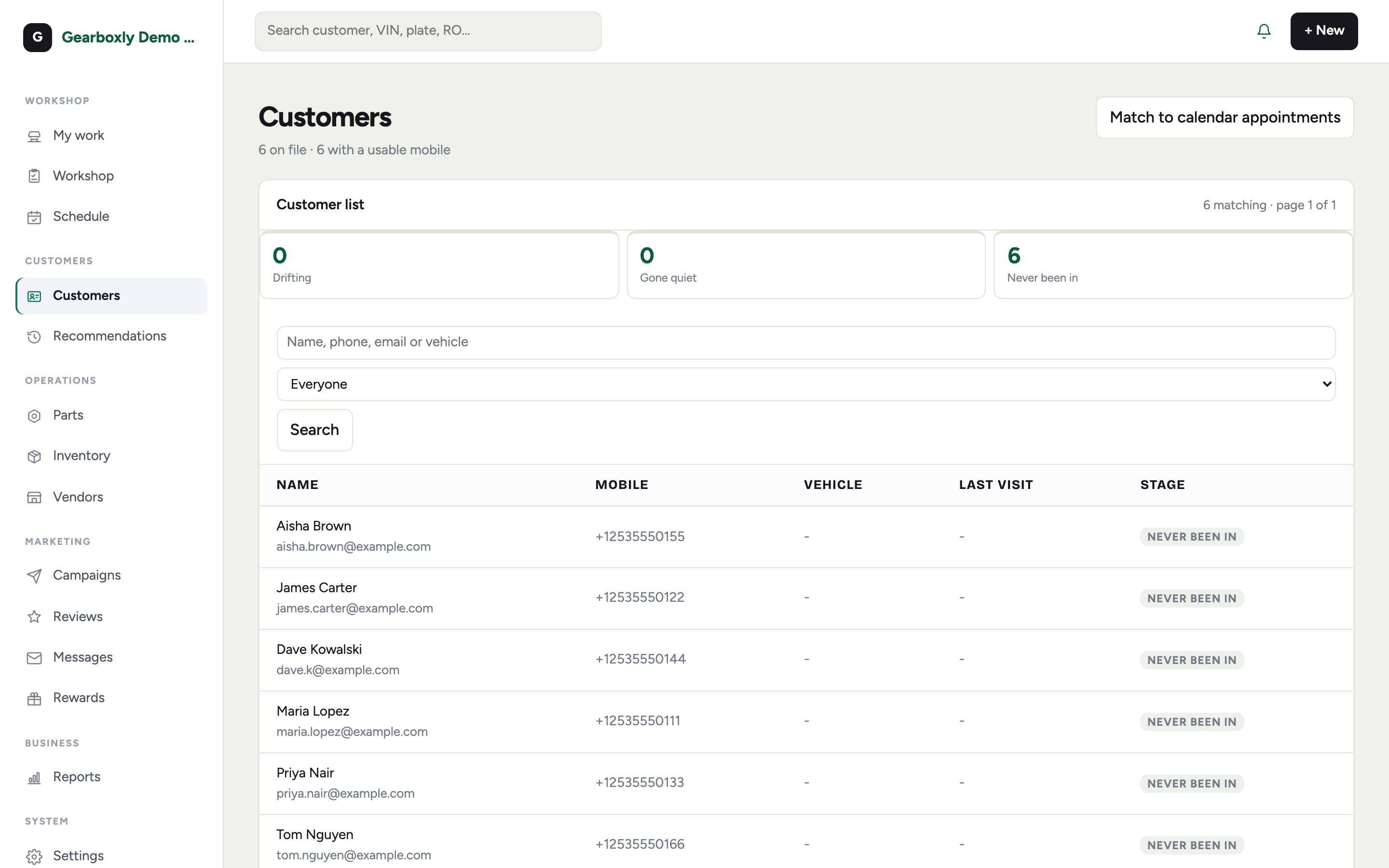
Customer profiles
Vehicles, visits, tags and declined work in one place.
Screenshots are the Gearboxly demo shop, with demo data.
Pricing
Per location, per month. Month to month, no contract, unlimited users. Every trial starts on the AI plan with no card.
Repair orders, inspections, estimates with online approval, texting, scheduling, invoices and Stripe payments, reports, campaigns. Unlimited users.
Everything in Core plus every Gearboxly AI feature: labor lookup, estimate drafts, inspection write-ups, Shop Brain and more.
Everything in AI plus a shop website with 5 templates, online booking page, your own domain, 3x texts, the AI receptionist with 100 call minutes a month, and free data migration.
Questions shops ask
Does Gearboxly do fleet billing?
No. There is no batch billing or net-terms invoicing today. You can tag a customer as Fleet for your own use and keep every vehicle on their profile.
Will labor times work for heavy trucks?
Guide times are for the vehicle on the repair order and may not cover heavy trucks. You can type your own hours on any job.
I need something specific for diesel work. Who do I tell?
Tell us on the contact page. Real shop requests decide what gets built next.
Is there a free trial?
Yes. Every shop starts with 14 days of the AI plan, free, with no credit card. Plans start at $99 a month per location (Core), with unlimited users and no contract.
Try it on your heavy duty and diesel repair
14-day free trial of the AI plan. No credit card. No contract, cancel anytime.
Start free