What the Clock-in map shows
The Clock-in map shows owners and managers where people are while they are clocked in, and the route of each shift. It is a work-time record, not tracking outside a shift. It is included on every plan.
Open Clock-in map under System in the sidebar. By default only owners and managers can see it, and an owner can change that for a role.
Who is clocked in now
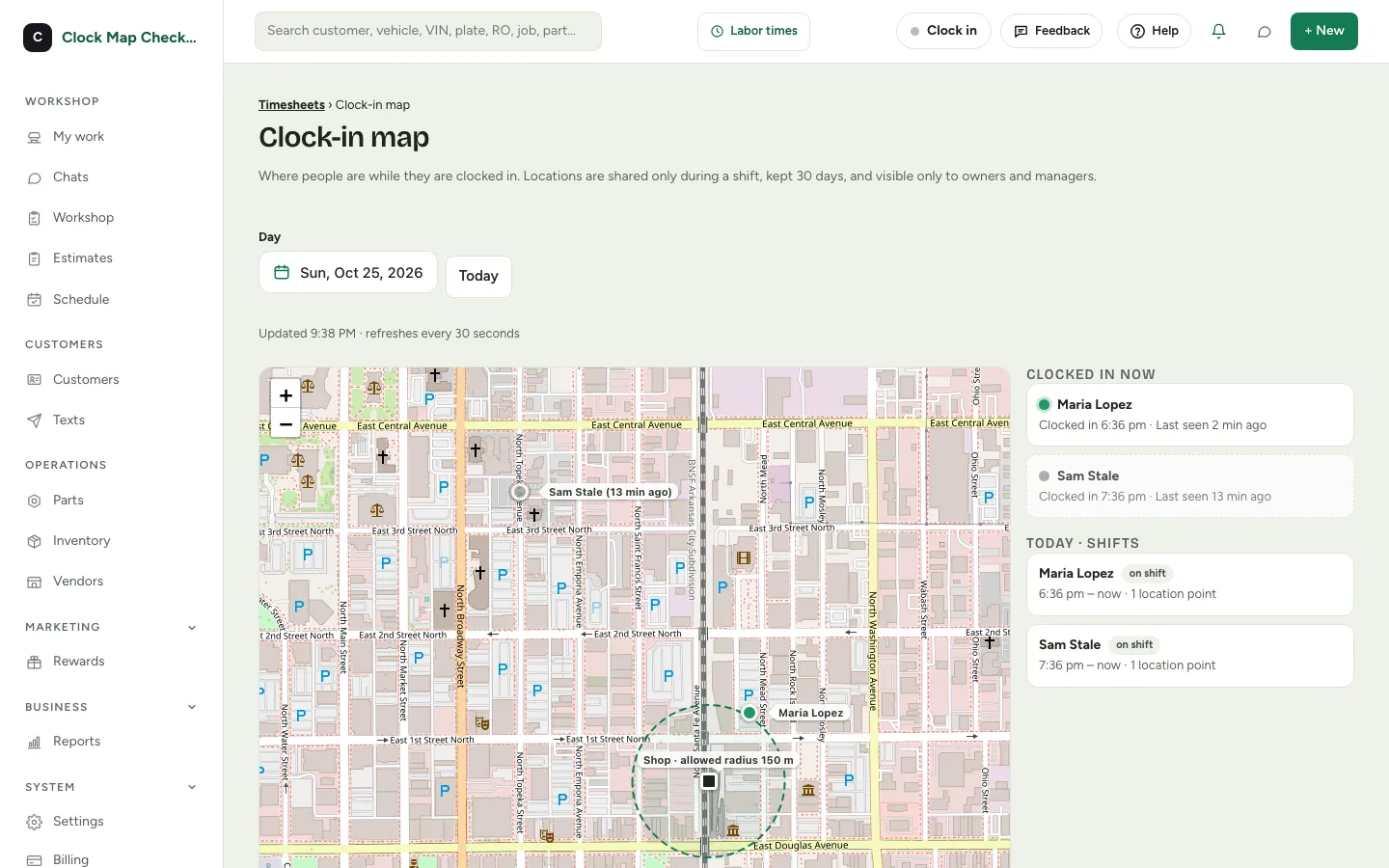
- The dots
- Each person who is clocked in shows as a dot on the map with their name. The list beside the map shows when they clocked in and how many minutes ago their phone last reported.
- Grey dot
- A dot turns grey when it has gone more than 5 minutes without an update.
- Location off
- If someone's phone refused to share a location, the list says Location off.
- Shop radius
- A circle marks your shop radius.
- Refresh
- The page refreshes every 30 seconds.
Look back at a day
- 1Use Day to pick a date, or press Today.
- 2Choose a shift in the list to see its route on the map.
- 3Look for the clock-in and clock-out markers. A flagged punch is highlighted, and its marker shows the reason.
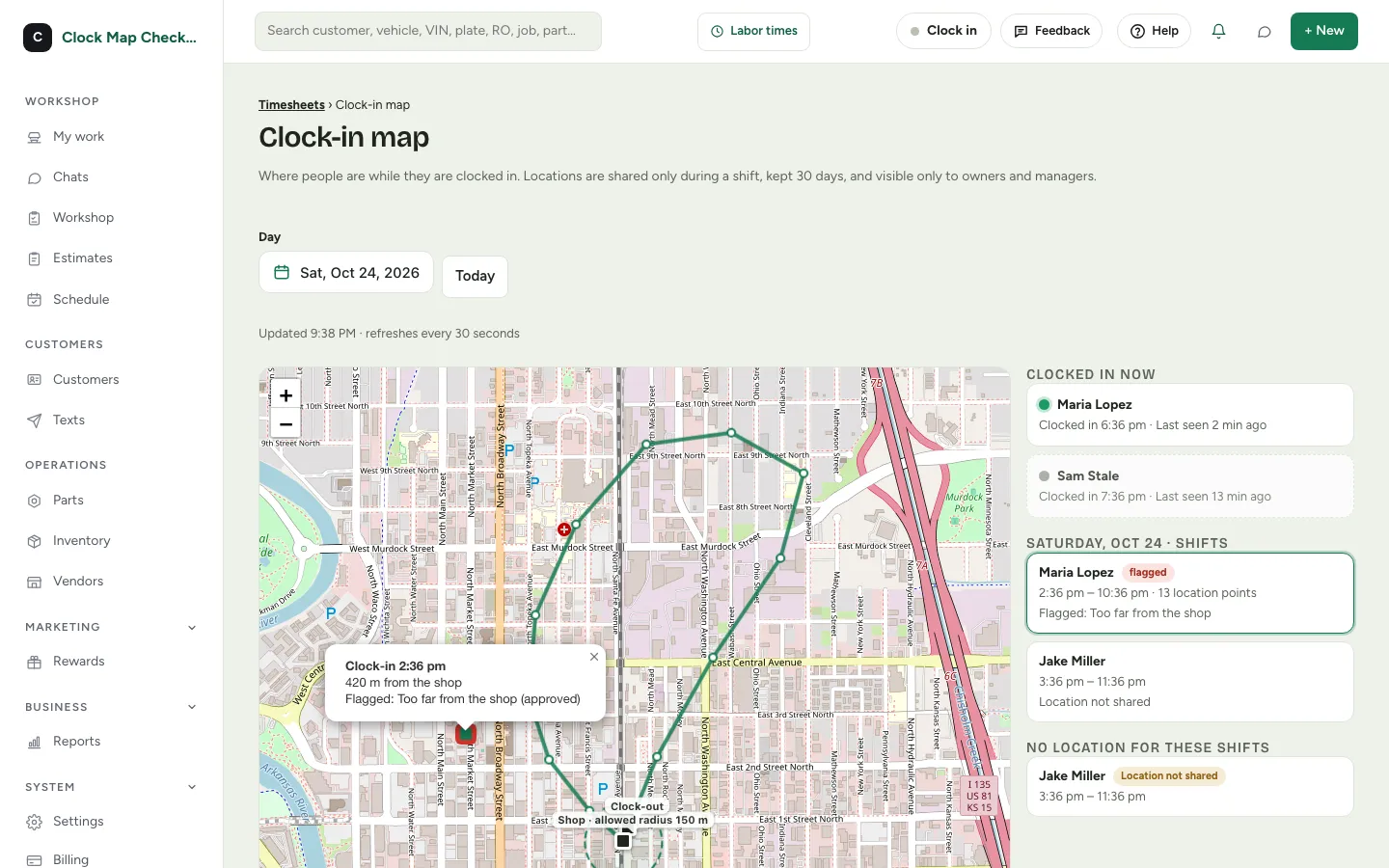
Shifts with no location recorded are listed too, under No location for these shifts.
What your team sees
Employees accept the location terms once, either on their invite link when they set up their account, or at their next clock-in. At clock-in they choose Clock in and share my location, or Clock in without sharing. Saying no to location sharing never stops anyone from clocking in. A location rule under Clock-in rules is a separate check made at the moment of the punch; see Clock-in rules for what happens when location is not allowed.
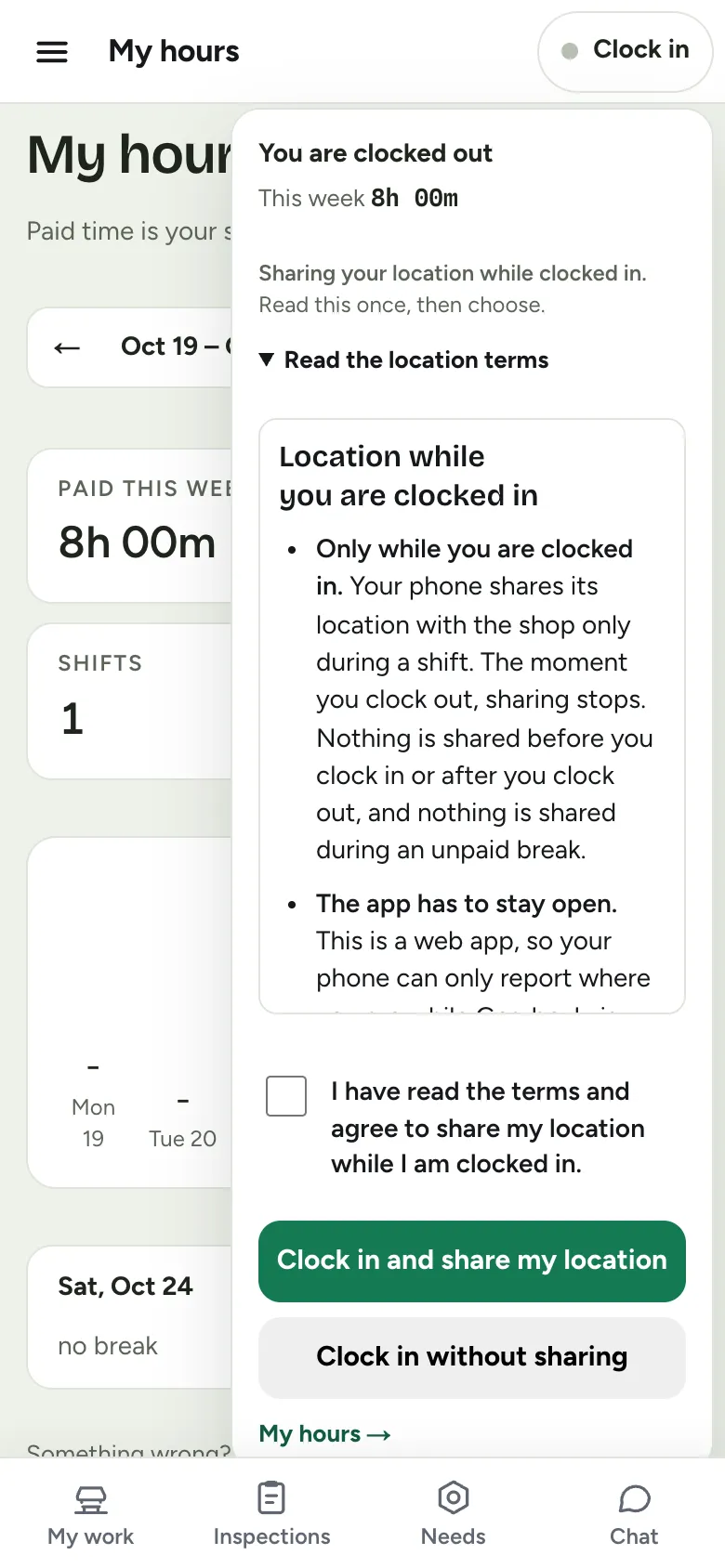
While someone is clocked in and has Gearboxly open on their phone, their location is shared with the owner and managers. When they clock out, sharing stops. Nothing is shared before clock-in, after clock-out or during an unpaid break.
Employees can read the full Employee Clock-In Terms in the app (from the clock menu) and on this site. They cover what is collected and when, who can see it, how long it is kept, and what happens if someone says no. They are plain-language information, not legal advice. Laws on employee monitoring differ by place, so check what applies to your shop.
Read: Employee clock-in terms
What it does not do
- Only while the app is open
- Gearboxly is a web app, so a phone can only report its location while Gearboxly is open on the screen. If someone closes it or locks the phone, reporting pauses until they open it again.
- No background tracking
- Nothing is shared outside a shift.
- How long routes are kept
- Routes are kept for 30 days, then deleted.
- Who can see them
- Owners and managers only.
Common questions
- Can an employee say no?
- Yes. They can clock in without sharing, and clocking in always works. The list shows Location not shared for them.
- Does it cost extra?
- No. It is included on every plan.
- Is a flagged punch the same as a clock-in rule?
- A flagged punch comes from your clock-in rules. The map just marks it on the route. See Set up clock-in rules.
- What does the map use?
- OpenStreetMap.