AI
AI for auto repair shops: what it actually does today
Beyond the hype: the practical, everyday jobs AI can take off a service writer's plate, and the ones it shouldn't touch.
By Gurjivan Singh, owner of Auto Star Garage and builder of Gearboxly
· 4 min read
AI in auto repair gets talked about in big terms. In a real shop, the useful version is much more ordinary: it does the lookups and the typing so your people can spend their time on cars and customers. It doesn't fix cars, and it shouldn't make decisions on its own.
Here's a plain look at what AI can do in a shop today, using Gearboxly as the example since that's what we know, and where the limits are.
At the counter
- Labor lookup: find the hours for the vehicle on the repair order and add the job in one tap
- Estimate drafts: type the customer's concern and get proposed jobs with labor and parts to review
- Inspection to estimate: turn red and orange findings into priced repairs
- Labor paste: paste rows from any labor guide and the operations and hours come across
- Explain for the customer: a plain-English version of any repair, ready to send
- Appointments from chat: book, move and cancel appointments by saying it
These are jobs that eat a service writer's day without needing their judgment. Pulling them out of the process is where most of the time savings come from.
In the bay
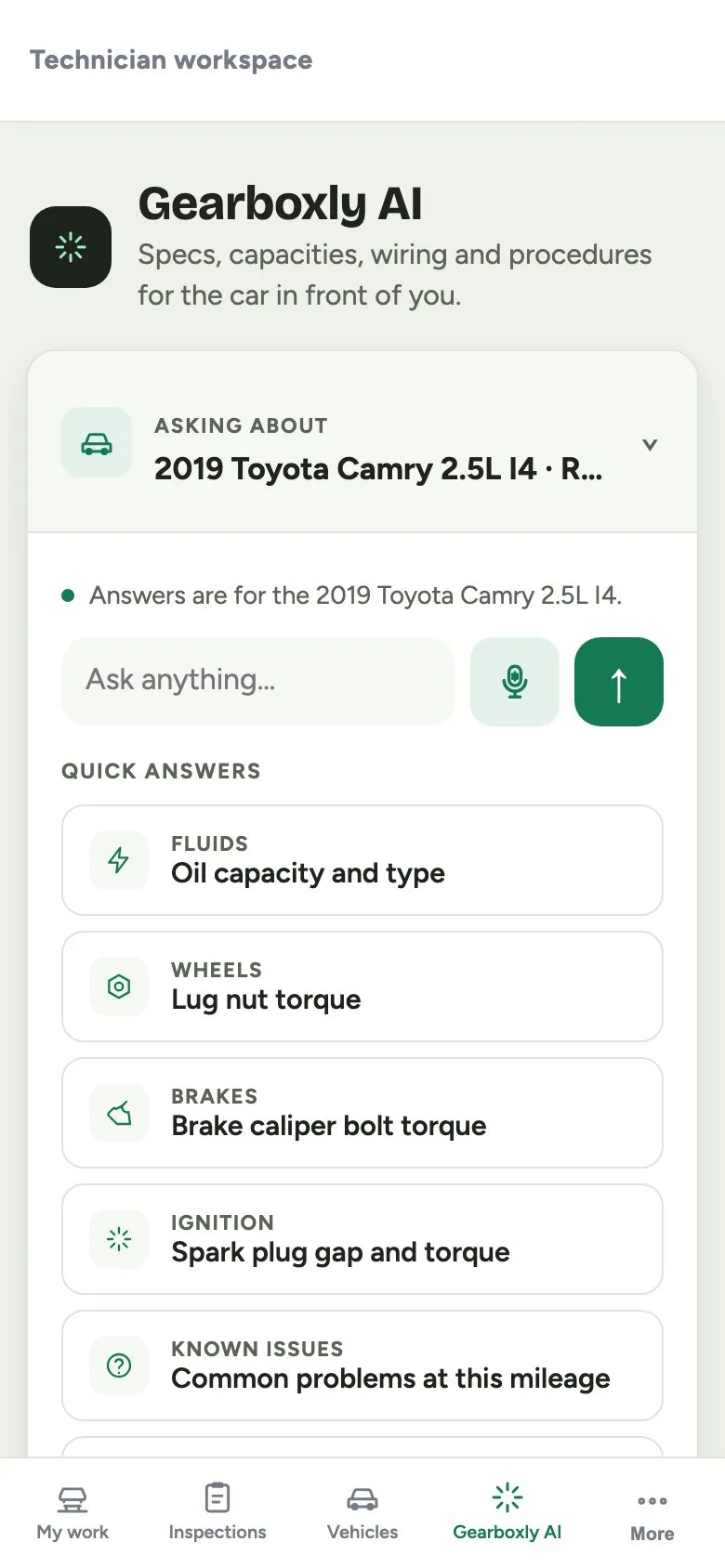
- Ask about the vehicle: torque specs, fluid capacities, sensor locations and codes, with sources
- Likely causes: a starting checklist of the usual suspects for a complaint, common ones first
- Inspection shorthand: “RF brakes 3mm, battery 390/600” becomes separate findings with a proposed severity
- Finding writer: a tech's shorthand becomes a sentence a customer can read
Tip: Treat AI answers about specs like a reference book you double-check on anything critical. A good AI tool says when it's guessing and shows its sources.
Running the shop
- Shop Brain: what needs a person right now, like approvals waiting, invoices to send and deferred work
- Shop memory: ask about your own records, like who a customer is and what you quoted last time
- Customer updates: drafts “still diagnosing,” “ready” or “needs approval” from the repair order's real state
- Campaigns: drafts and reworks marketing messages and suggests which customers they should reach
Related: Every Gearboxly AI feature, with a short video
What AI shouldn't do
AI should not diagnose a car on its own, approve work, change prices without a person seeing it or send messages to customers without review. The tech still tests. The writer still decides what goes on the estimate. The owner still sets the prices.
In Gearboxly, AI suggests and people decide. Estimates, labor times and messages are shown to you to check before anything is saved or sent, and every AI labor time is labeled as such.
How to evaluate AI shop software
- Does it save clicks on a real three-job estimate, or just add a chat window?
- Is AI output clearly labeled, and do you review it before it's saved or sent?
- Does it know the vehicle on the repair order, or do you re-enter it?
- What happens when the AI allowance runs out? Does the rest keep working?
- Is your shop's data kept separate from other shops?
On that last point: in Gearboxly, each shop's data is kept in its own separate database. If the monthly AI allowance runs out, AI pauses until the next billing month or you can buy more, and everything else keeps working.
Start small
Pick the one task that wastes the most time in your shop, often labor lookup or writing up inspections, and use AI for just that for a couple of weeks. If it saves time without adding mistakes, add the next one.
The short version
Useful AI in a repair shop does lookups and typing: labor times, estimate drafts, write-ups, customer messages and a list of what needs attention. People still diagnose, decide and approve. Judge it on whether it saves real time on your own repair orders.
Try it on your own repair orders
14-day free trial. No credit card. No contract, cancel anytime.
Start free trial