Shop Pulse: how the shop is doing
Open Reports in the sidebar. The top of the page, Shop Pulse, says in one sentence how the period is going, then shows the numbers that matter, each compared with the same number of days before.
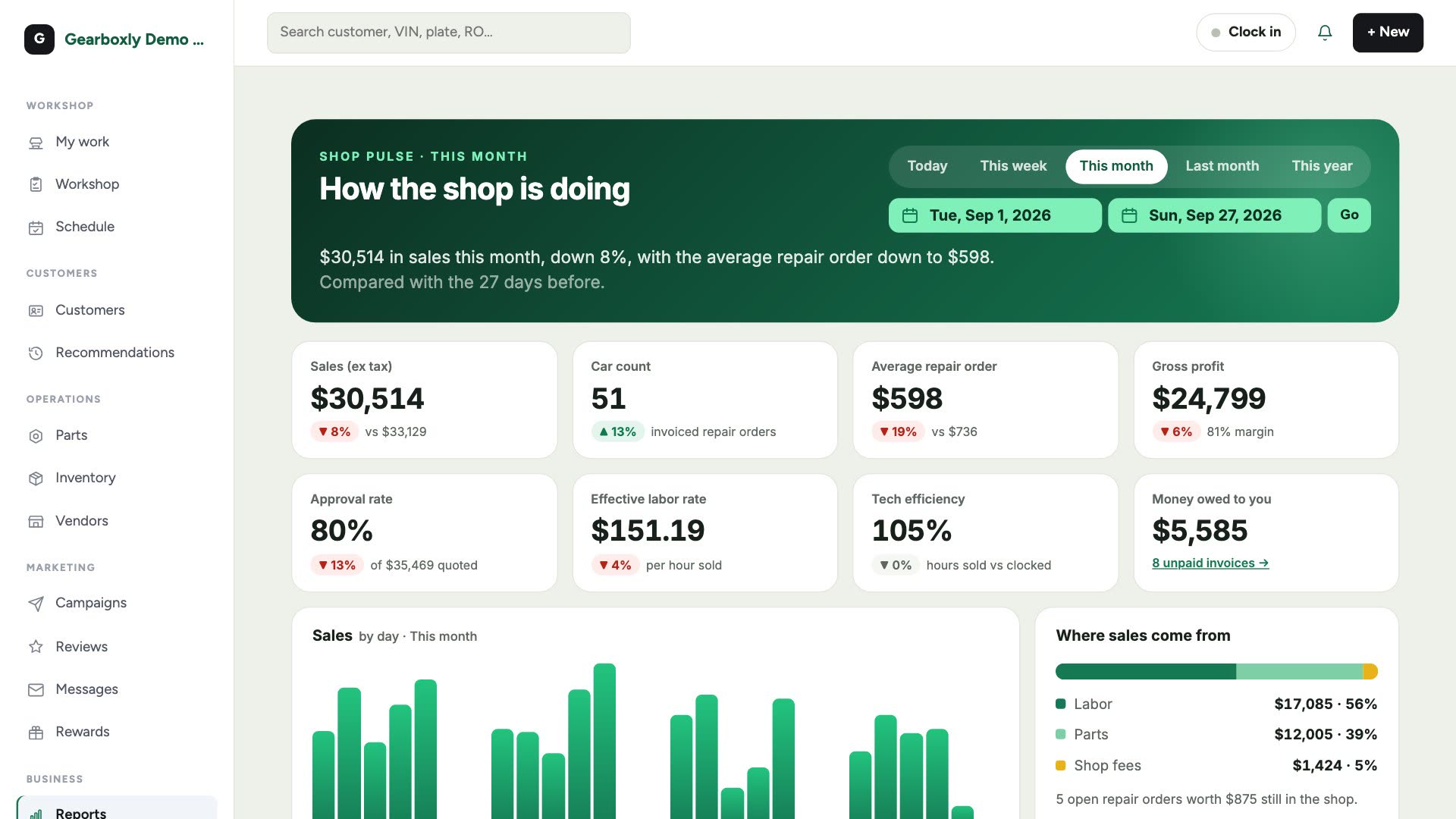
- Sales (ex tax)
- Everything invoiced in the period, before tax.
- Car count
- How many repair orders were invoiced.
- Average repair order
- Sales divided by car count.
- Gross profit
- Sales minus the cost of parts, with the margin. Owners only.
- Approval rate
- How much of what you quoted customers said yes to.
- Effective labor rate
- Labor sold divided by the hours sold. Discounts and comebacks pull it below your posted rate.
- Tech efficiency
- Hours sold compared with hours clocked on jobs.
- Money owed to you
- Invoices not fully paid yet, whatever the date.
Pick a period
Use the buttons at the top: Today, This week, This month, Last month or This year. For anything else, pick the From and To dates and tap Go. Detailed reports open on the same dates.
Trends and leaderboards
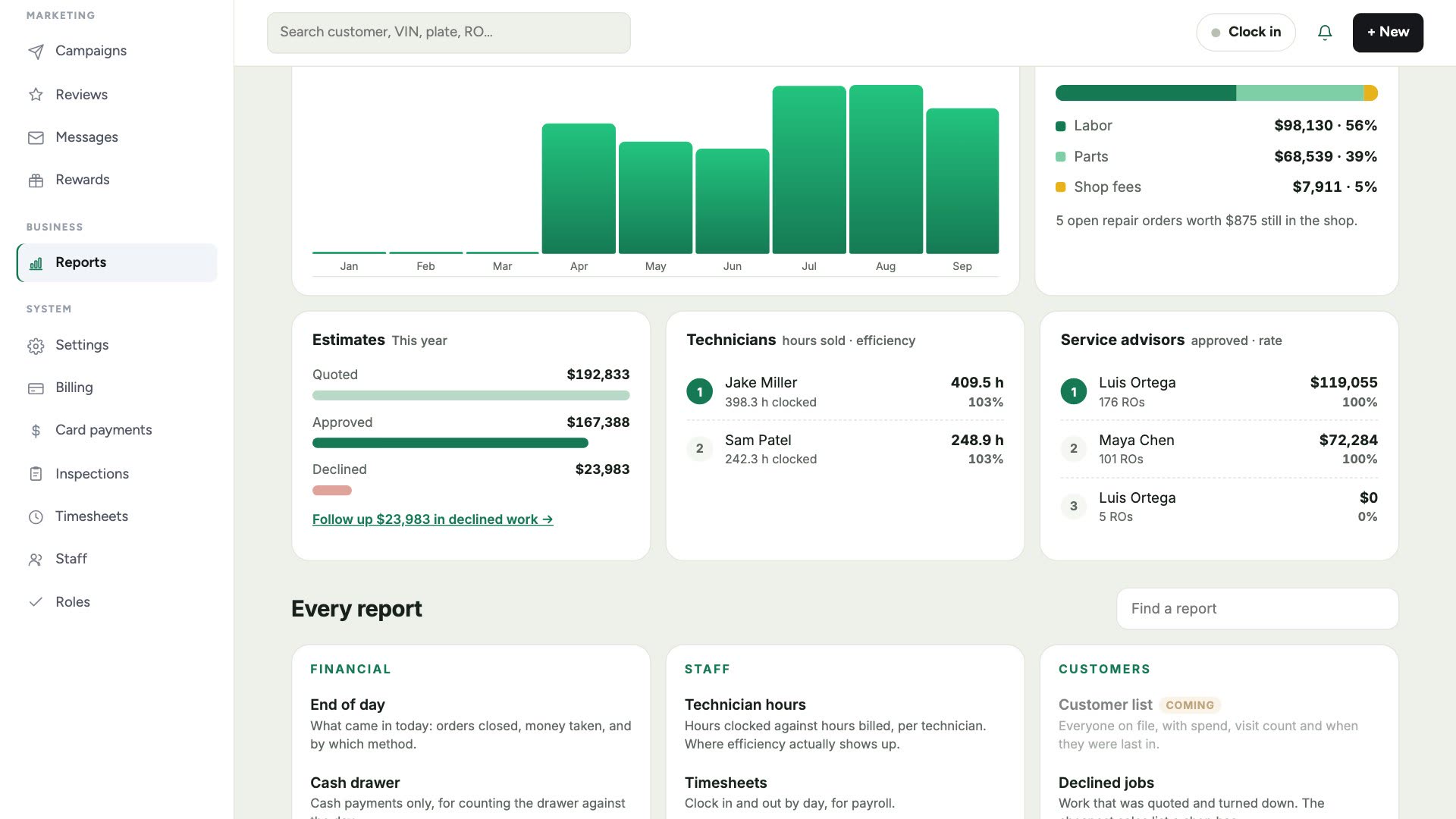
The sales chart shows each day, or each month for long periods. Hover a bar to see the total and how many cars. Beside it, where sales come from: labor, parts and shop fees. Below: your estimate approval funnel, and leaderboards for technicians (hours sold and efficiency) and service advisors (approved work and approval rate).
Every report
Scroll to Every report, or type in Find a report. Ones marked Owner show margins and are only visible to owners.
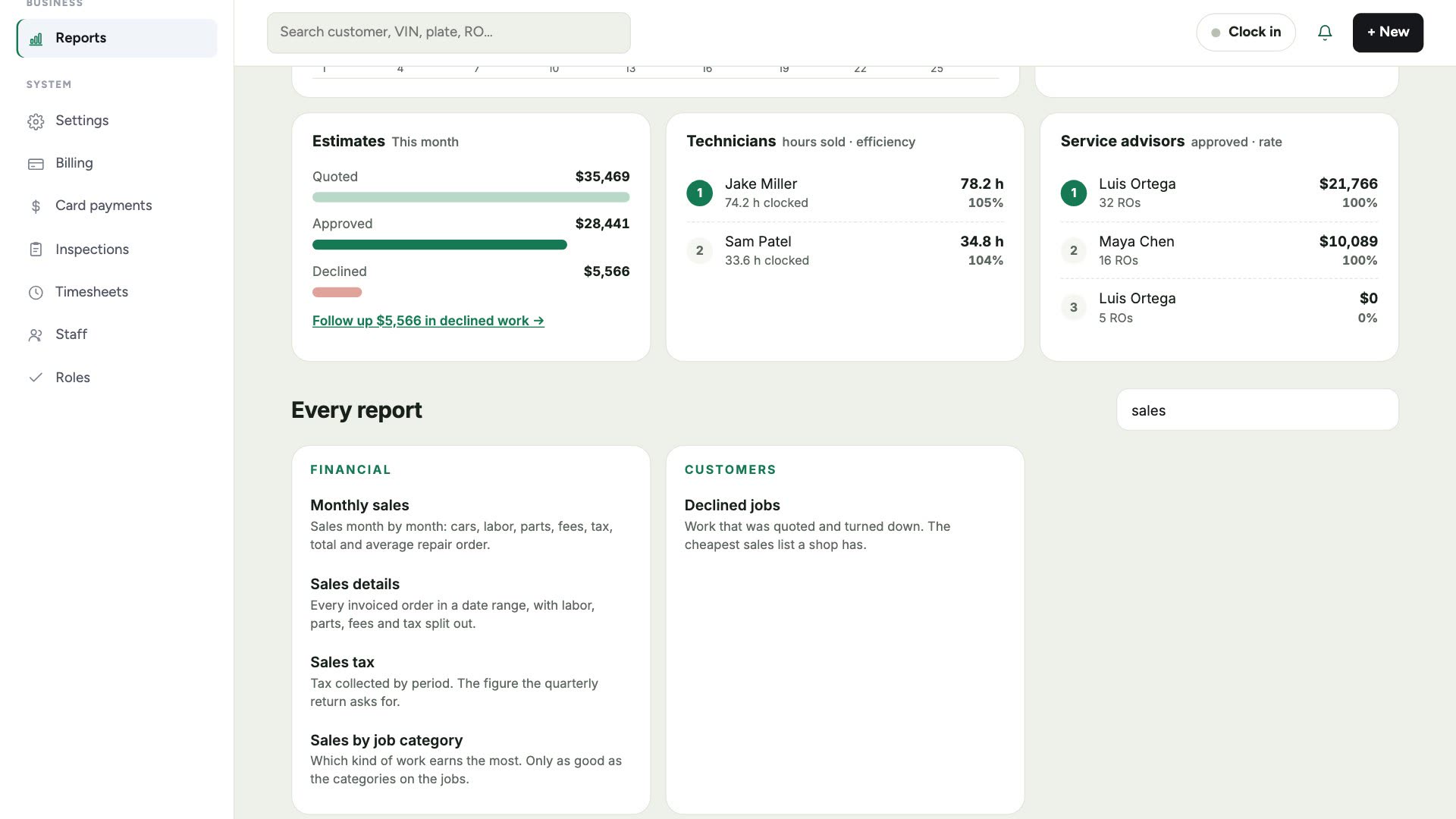
- Monthly sales
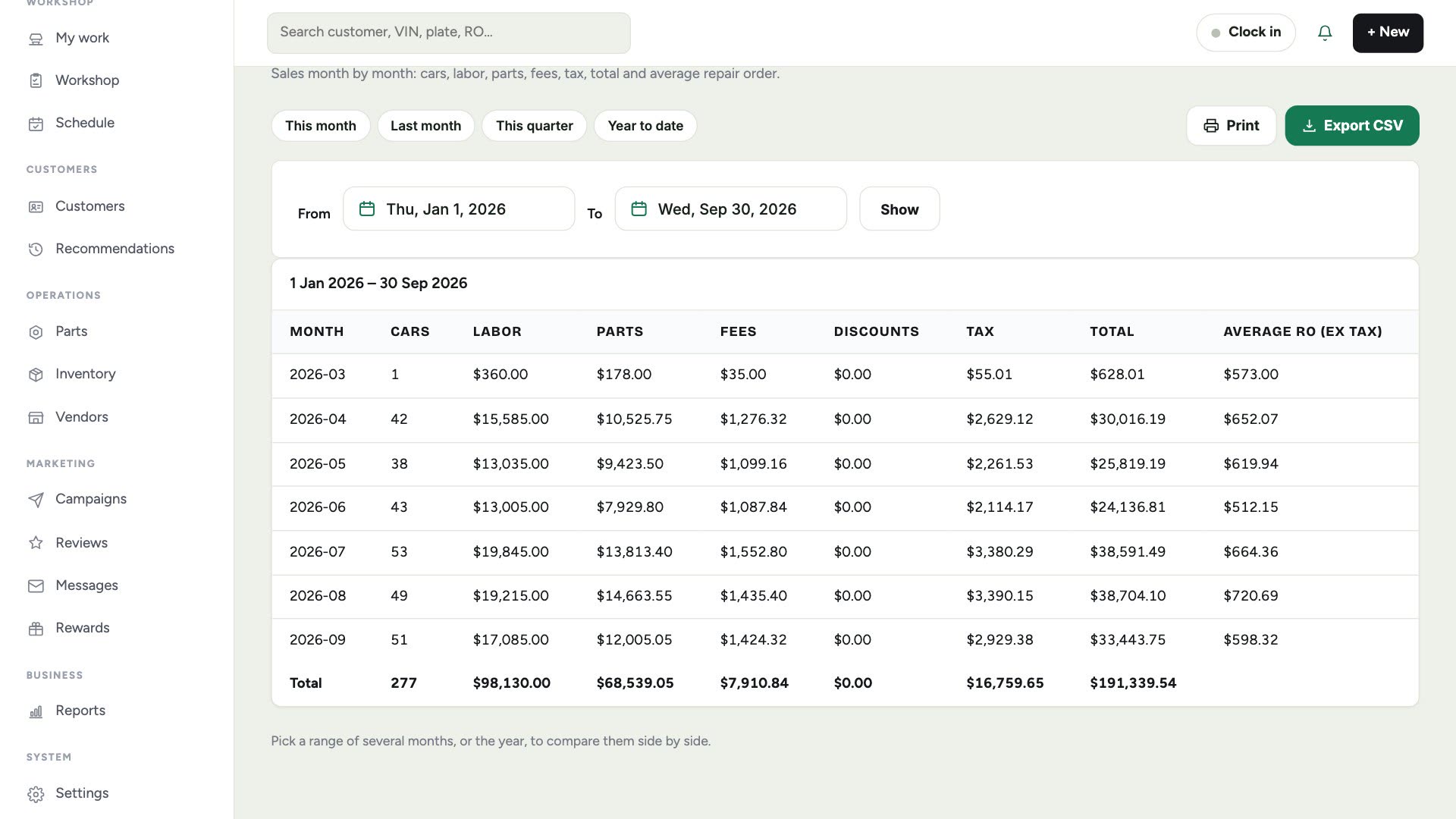
- Month by month: cars, labor, parts, fees, discounts, tax, total and average repair order. Pick the year to compare months.
- Sales details
- Every invoiced order in the dates, with labor, parts, fees and tax split out.
- Sales tax
- Tax collected by month, for your quarterly return.
- Profit details
- Revenue against cost for each order, with gross profit and margin. Owners only.
- End of day
- What came in today: orders closed and money taken, by payment method.
- Cash drawer
- Cash payments only, to count the drawer against.
- Payment details
- Every payment, by method, with card last four and who took it.
- Customer list
- Everyone on file with visits, total spend, first and last visit. Search, sort and export to CSV.
- Where they came from
- Orders, sales and new customers grouped by how they heard about you. Turn on Require marketing source in Settings to fill it in.
- Not seen lately
- Customers who haven't been in for a few months, longest gap first. Save them as a campaign audience in one tap.
- Commissions
- What each service writer and technician earned, at the rates you set in Settings, Commissions.
- Accounts receivable
- Unpaid invoices, oldest first, with who owes and for how long.
- Fees
- Shop supplies, hazmat and other fees, totalled.
- Discounts
- What was discounted, on which orders, and by whom.
- Sales by job category
- Which kinds of work earn the most.
- Estimate approval
- How much quoted work gets approved, by category.
- Technician hours
- Hours clocked against hours billed, per technician.
- Timesheets
- Clock-in and clock-out by day, for payroll.
- Service writer
- Orders written, average ticket, and approval rate per advisor.
- Inspections
- Inspections done and how much work they turned into.
- Declined jobs
- Work customers turned down: your easiest follow-up list.
Monthly sales
Dates, print and export
- 1Tap a quick range: This month, Last month, This quarter or Year to date.
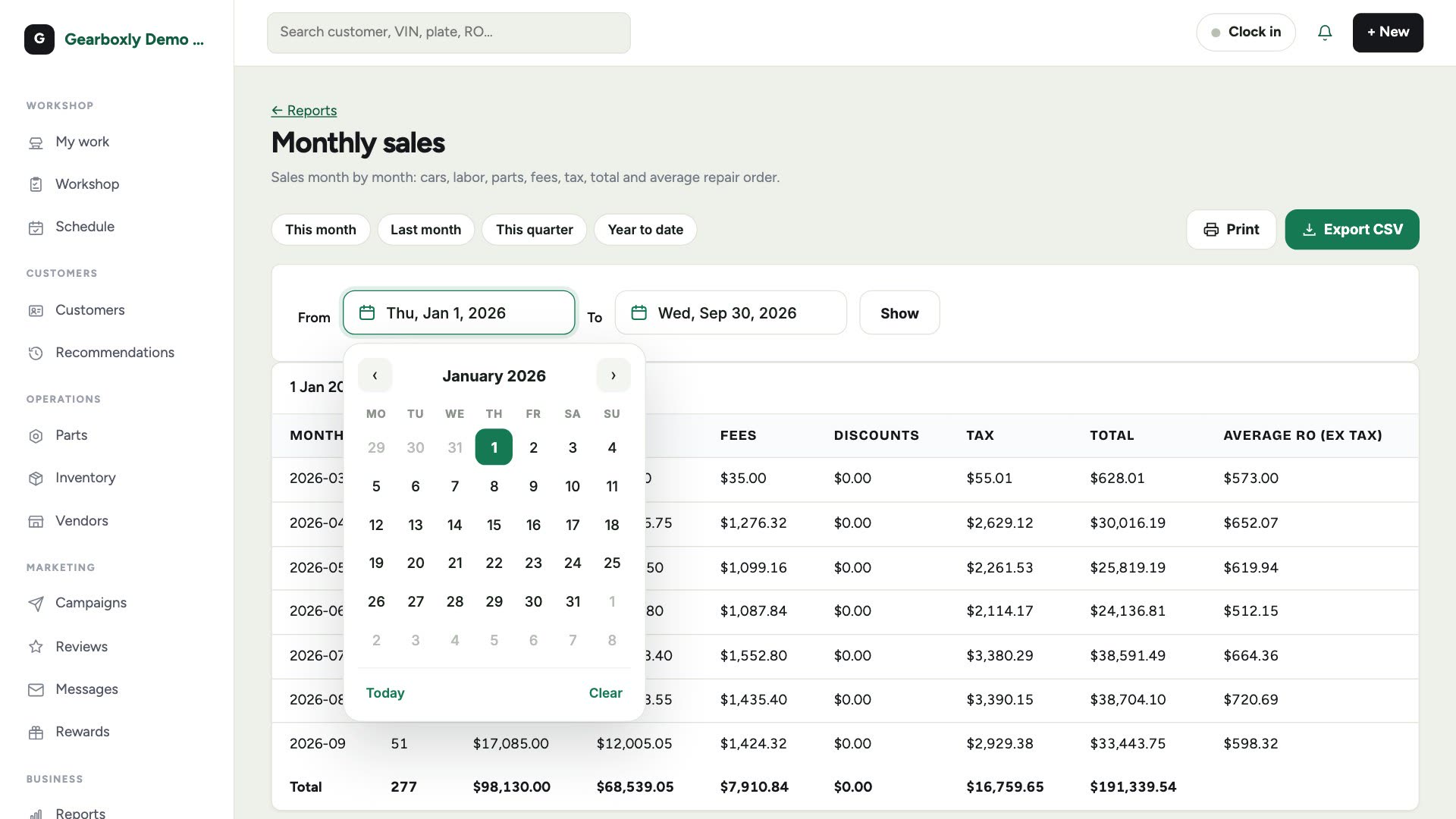
- 2Or tap From or To and pick any day from the calendar, then tap Show.
- 3Tap Export CSV to download the report for your accountant or a spreadsheet.
- 4Tap Print for a clean copy with your shop name and the dates on it.
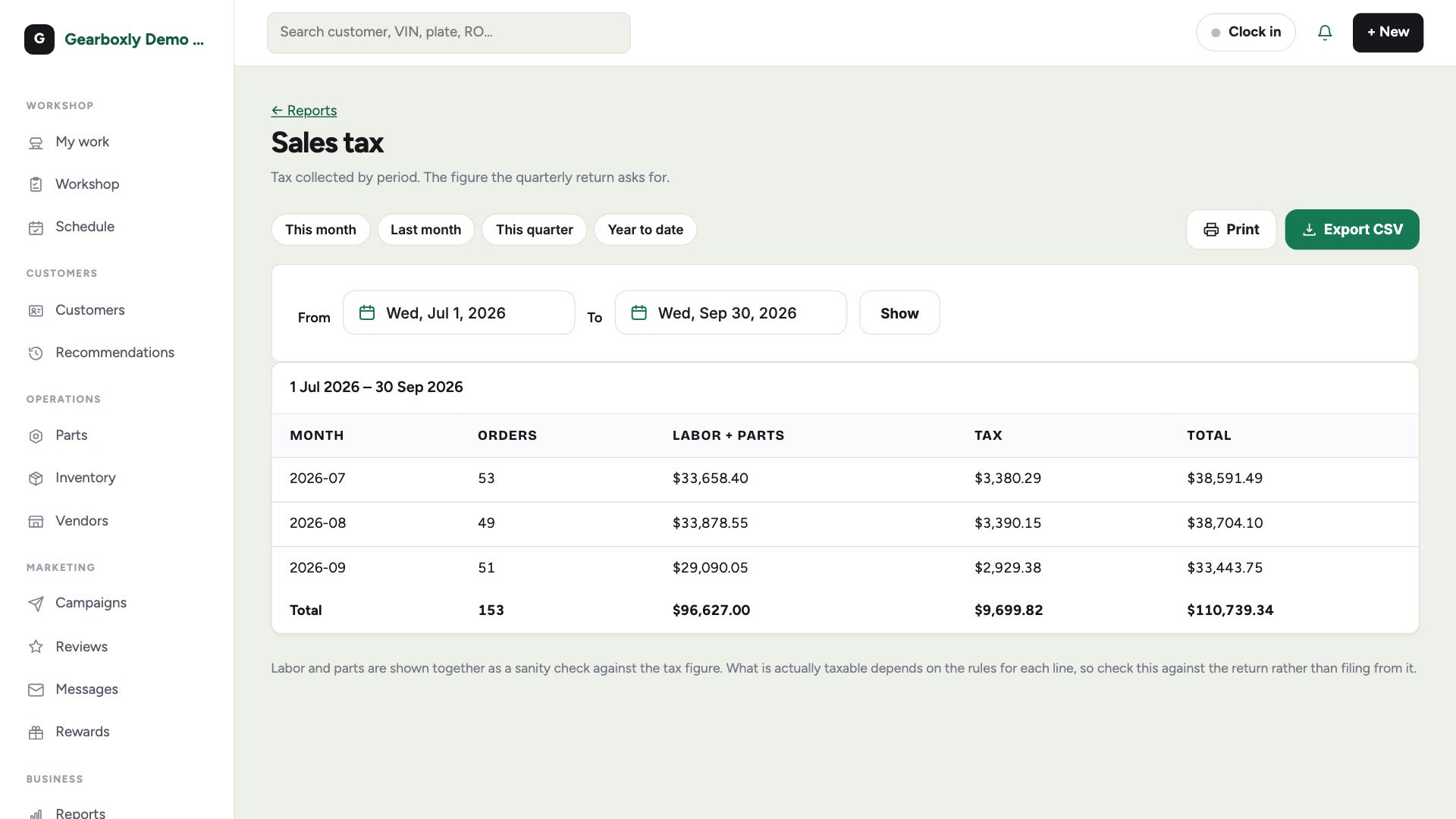
Sales tax
Pick the quarter's dates and tap Show. Labor and parts are shown with the tax as a sanity check: what's taxable depends on the rules for each line, so check it against your return.